13
EN
3. Mac Whitelist Settings
1. Open the downloaded driver and move it into the "Applications";
2. Open "Applications", click the driver that has been placed in "Applications", and then click
"Open" in the pop-up window ;
3. After the above steps, the installed driver will be displayed. Use the digital pen to tap on the pen
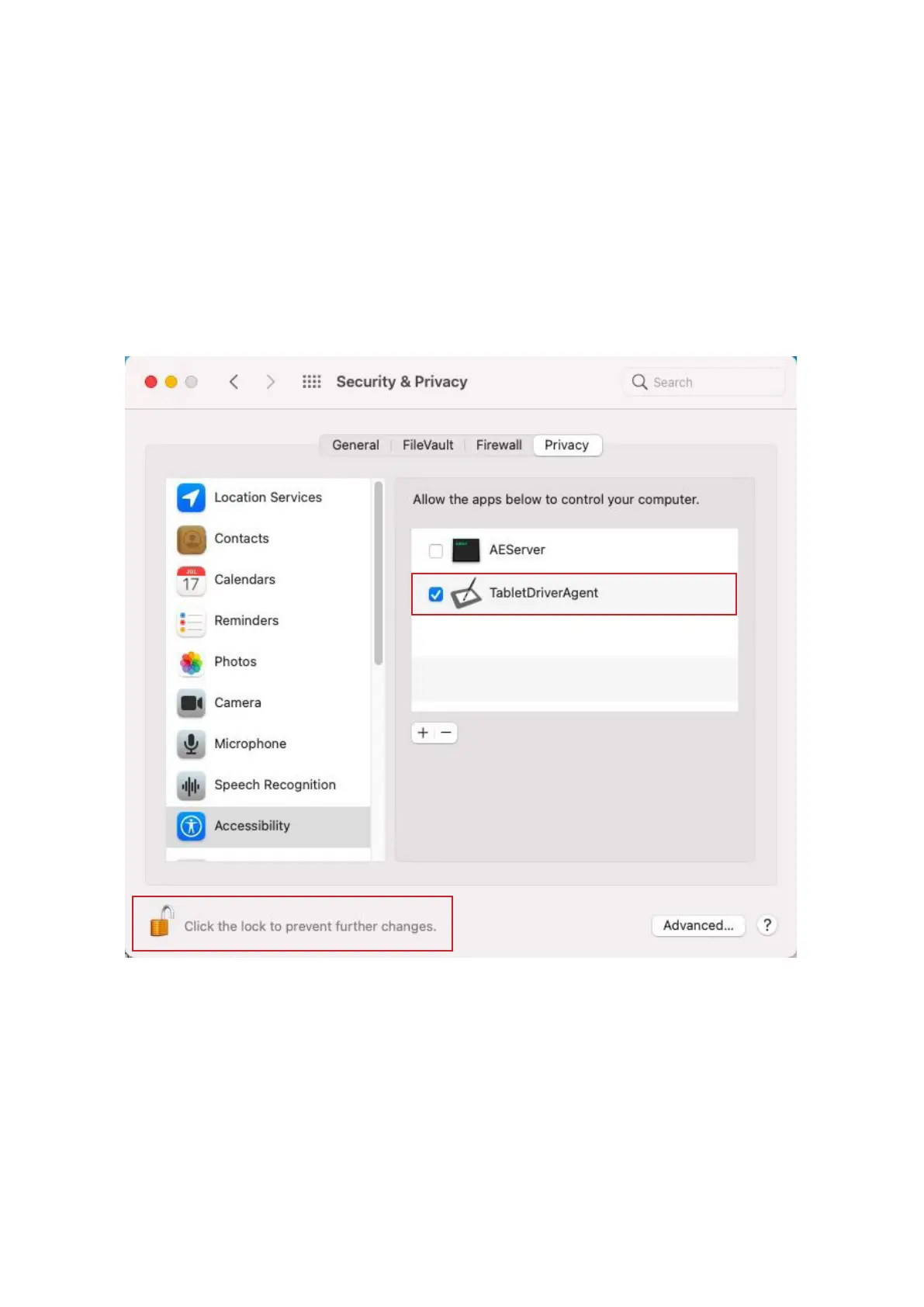
tablet, and then the "Accessibility Access" window pops up. Click "Open System Preferences",
and "Security
&
Privacy" window appears. Click the lock icon in the lower left corner to make
changes, enter password, then check the driver, and finally the product is enabled.



 To Next Page