1.3. Filter + Pattern effects
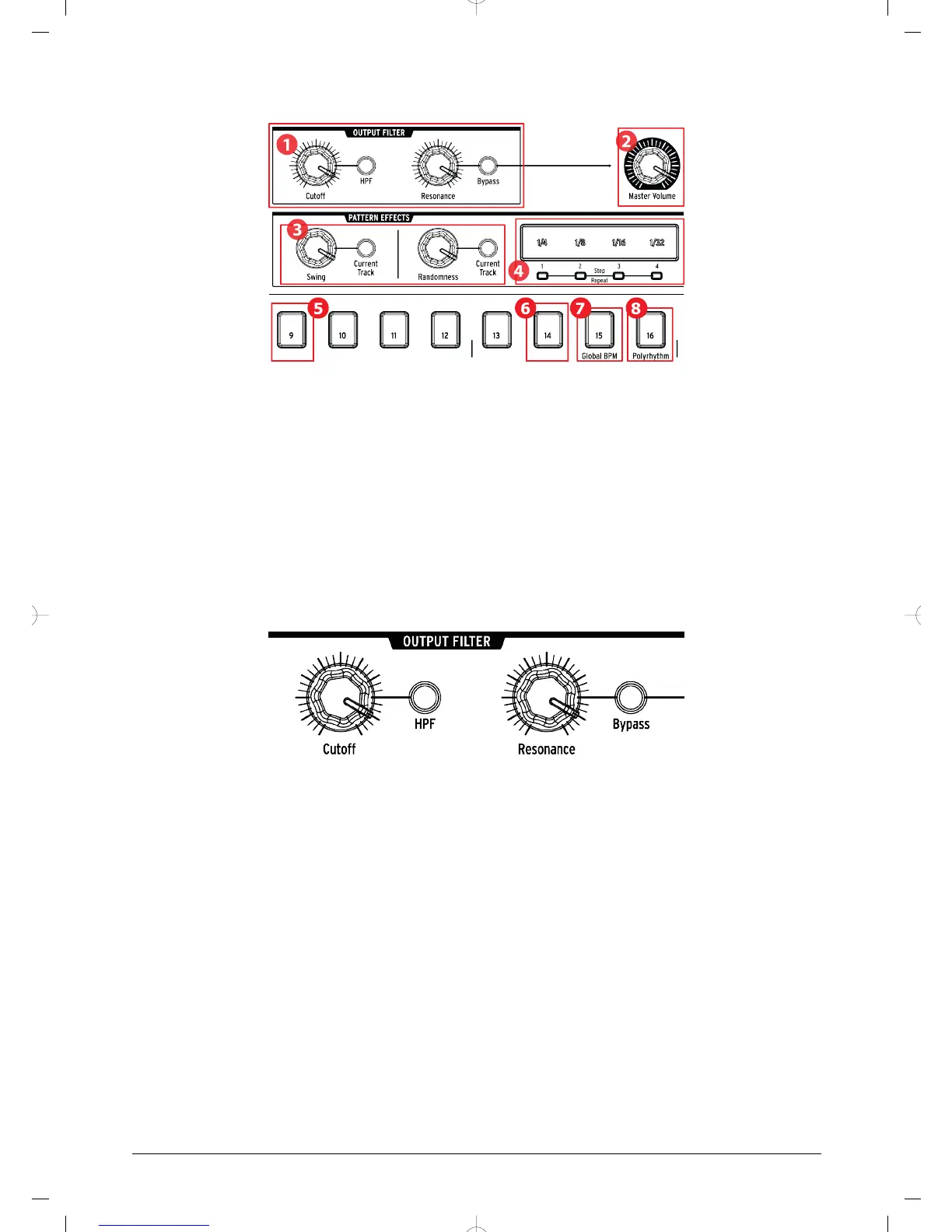
1. Output filter
2. Master volume
3. Pattern effects
4. Roller/looper/Step Repeat
5. Shift+9: Roller/Looper
6. Shift+14: Wait to Load Pattern
7. Shift+15: Global BPM
8. Shift+16: Polyrhythm
1.3.1. Output filter
These knobs and buttons add a fun and expressive way to control the overall sound of the
DrumBrute during performance. Select the filter type with the HPF button:
• Off : LPF (Low Pass Filter)
• On : HPF (High Pass Filter)
You can sweep the filter frequency with the Cutoff knob, and use the Resonance knob to
control the filter emphasis.
To hear the unfiltered signal, press the Bypass button.
To learn more about the Output Filter options, see section [p.22].
Arturia - User Manual DrumBrute - Overview 10














 To Next Page