14 |Installation Aruba 9004 Gateway | Installation Guide
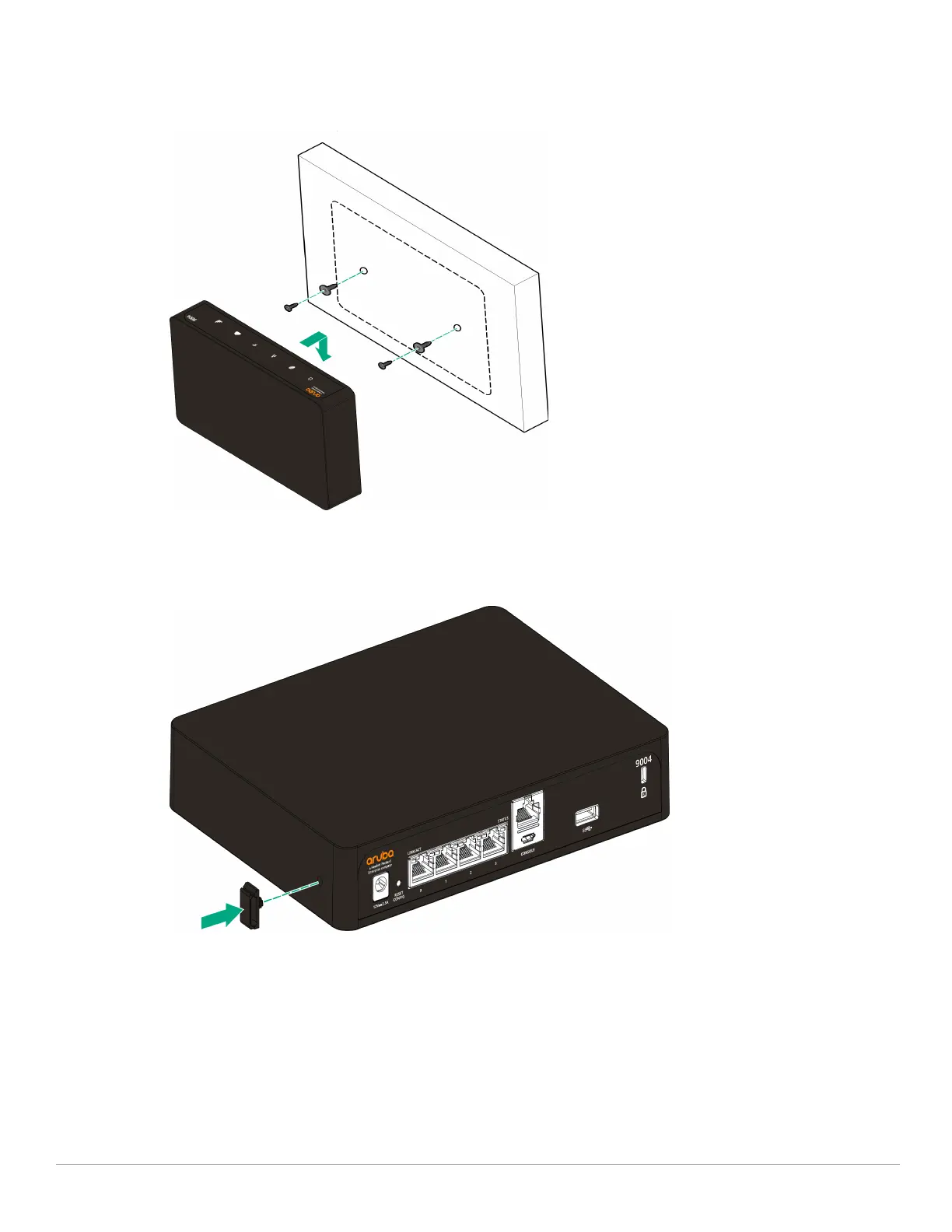
2. Align the mounting slots on the bottom of the gateway over the screws and slide the unit into
place. See Figure 7
Figure 7 Wall Mounting Aruba 9004 Gateway
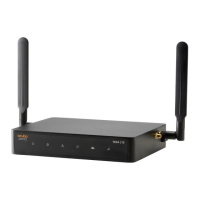
3. Align the cable saddle with the slot on the side of the gateway and push the cable saddle into the
unit to secure it. See Figure 8.
Figure 8 Attaching a cable saddle
4. Insert the cable into the cable saddle and attach it to the power connector slot. This secures the
cable and keeps it in place.See Figure 9.


 To Next Page