EasyManua.ls Logo

Aruba APEX0567 - User Manual

Aruba APEX0567
11 pages
Print Icon
To Next Page IconTo Next Page
Loading...
Aruba 560 Series Outdoor Access Points
Installation Guide
Rev 01 | July 2020 1
The Aruba 560 Series outdoor wireless access points (AP-565 and AP-567) are high-performance, multi-radio
wireless devices that can be deployed in either controller-based (ArubaOS) or controllerless (Aruba Instant)
network environment.
The Aruba 560 Series access points support IEEE 802.11ax standard, delivering high performance with the MIMO
(Multiple-Input, Multiple-Output) technology, while also supporting 802.11a/b/g/n/ac wireless services.
Package Contents
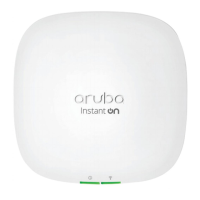
560 Series access point
Cable gland x 1
USB Type-C console cable x 1
Grounding lug and M4x6 screw x 1
Tools Required
Phillips screwdriver (#2 for M4x6 screw)
Flat blade screwdriver (Ethernet cable gland cover)
8mm allen or hex key (USB console cover)
The weatherproof caps for Ethernet and Console interfaces are connected to the access point, not loose in the
package.
Mounting kits for use with the 560 Series access points are sold separately. Contact your Aruba sales
representative for details.
Inform your supplier if there are any incorrect, missing, or damaged parts. If possible, retain the carton,
including the original packing materials. Use these materials to repack and return the unit to the supplier if
needed.
Question and Answer IconNeed help?

Do you have a question about the Aruba APEX0567 and is the answer not in the manual?

Aruba APEX0567 Specifications

General IconGeneral
Product TypeWireless Access Point
ModelAPEX0567
AntennasIntegrated
MountingWall, Ceiling
Frequency Bands2.4 GHz, 5 GHz

Summary

Hardware Overview

LED Status Indicators

Explains the meaning of the access point's system LED colors and states during boot up.

Ethernet Port Description

Details the access point's Ethernet port, including speed and sensing capabilities.

Power Options

Covers PoE support, Intelligent Power Monitoring, and power option restrictions.

Other Ports and Controls

Describes grounding, USB console port, and reset button functionality.

Before You Begin

Pre-Installation Checklist

Lists essential items and network services required before installing the access point.

Site Planning

Covers outdoor planning, deployment considerations, and identifying installation locations.

RF Interference Sources

Identifies RF absorbers, reflectors, and interference sources critical for site selection.

Installation Procedures

Using Mount Kits

Details available mount kits for wall or pole installation and their part numbers.

Grounding and Cabling

Explains how to properly ground the access point and connect the Ethernet cable using the gland.

Software Setup

Refers to the AP Software Quick Start Guide for operating modes and initial configuration.

Specifications

Electrical and Environmental Specifications

Lists electrical interfaces, operating temperature, and humidity ranges for the access point.

Regulatory Model Number

Explains the purpose of the regulatory model number and lists RMNs for AP-565 and AP-567.

Safety and Regulatory Compliance

Safety and RF Exposure

Covers safety precautions and RF radiation exposure limits for the access point.

United States Compliance

Details FCC compliance rules, limitations, and potential violations for US installations.

Industry Canada Compliance

Outlines Industry Canada regulations, interference limits, and device operation requirements.

International Compliance and Support

Wireless Channel Restrictions

Lists country-specific restrictions for Wi-Fi and BLE/Zigbee frequency ranges and power limits.

Country-Specific Compliance

Provides compliance statements for Taiwan, Brazil, Japan, Mexico, Kazakhstan, and Ukraine.

Contact and Warranty Information

Provides contact details, support sites, copyright, open source license, and warranty information.

Related product manuals