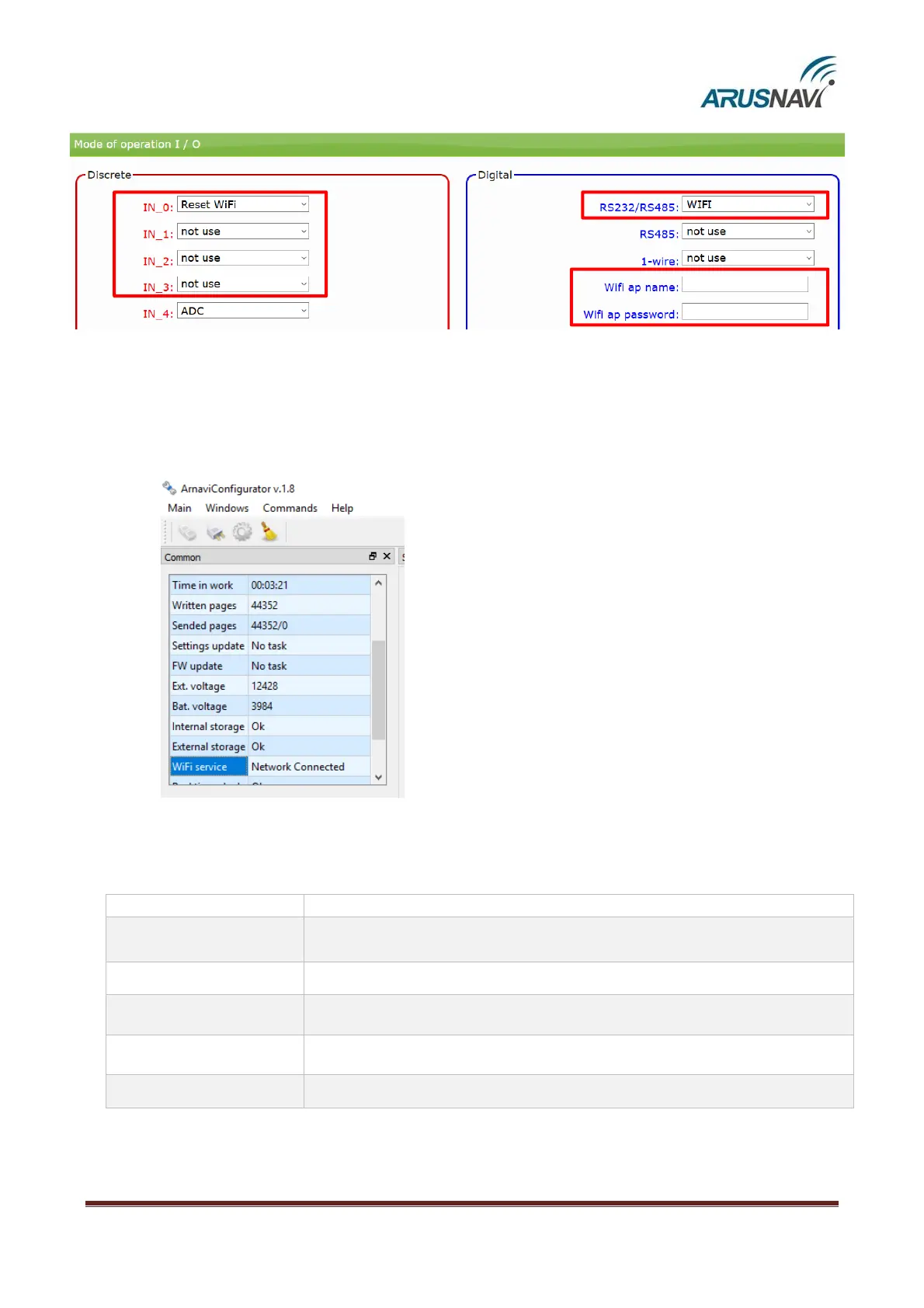
• Select "WI FI" mode RS-232 interface»;
• Enter the access point name and password ("wifi ap name" and "wifi ap password»);
• If the connection is made using the output U0-U3 (IN_0-IN_3), the selected corresponding output must be
set to the "Reset WIFI" mode (Attention! Only one output must be set to this mode at a time).
In Arnavi-Configurator`s section "Common" displayed the current status of the WiFi module. Wi Fi module
can have the following statuses:


 To Next Page