INDICATION OF OPERATION
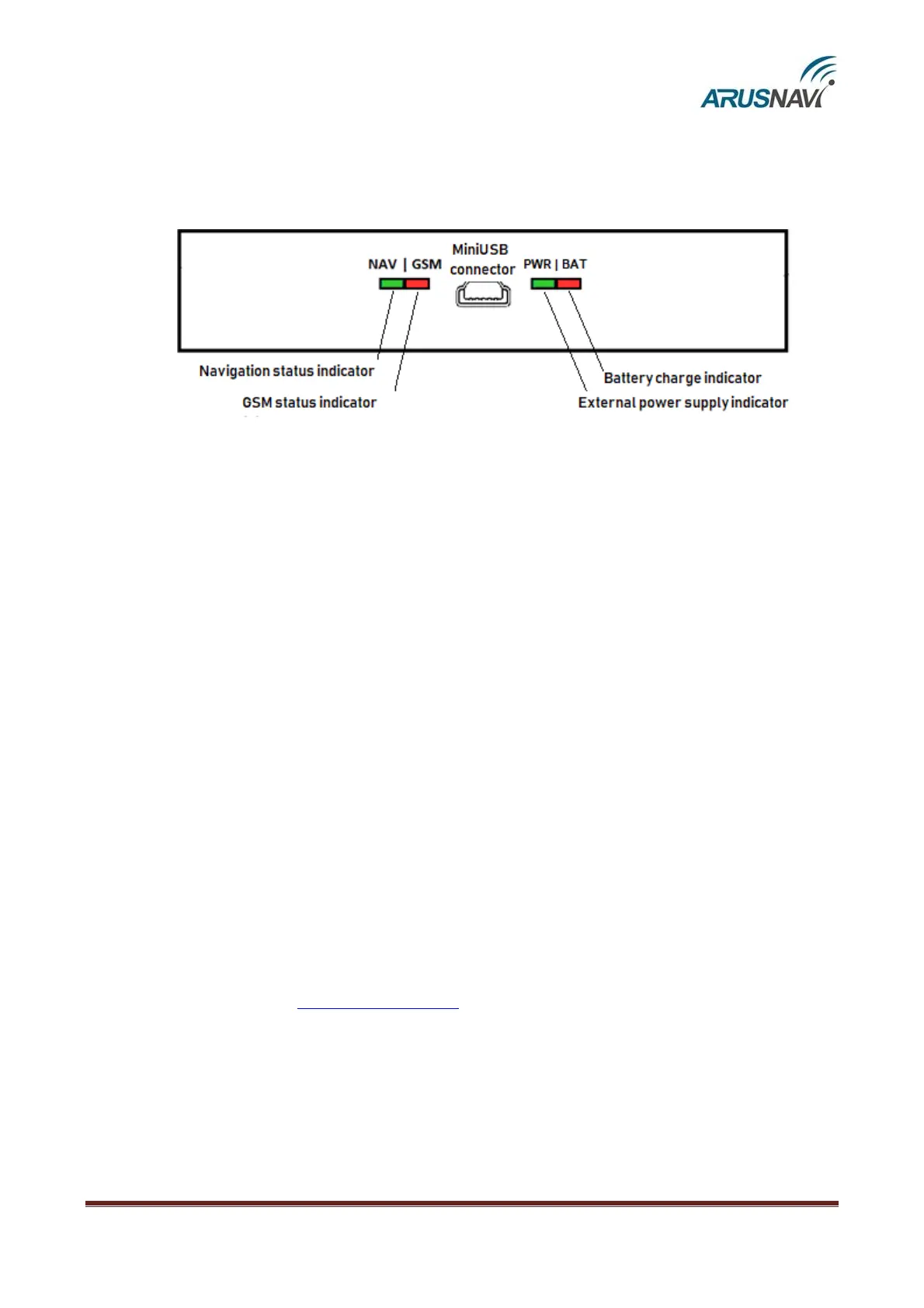
To reflect the operation process, the tracker has two light indicators: NAV | GSM and PWR |
BAT (Fig.10).
Fig. 10 – Rear panel view (schematic)
PWR | BAT light-emitting diode
• Green light is on – external power is connected
• Green and red lights are on at the same time – external power is connected and the built-
in battery is charging.
NAV | GSM light-emitting diode
Green light – the operation mode of the navigation module:
• Off – the module is off / no coordinates
• 1 flash / 1 second – satellites are found, the coordinates are valid
Red light – the operation mode of the GSM modem:
• Off – the modem is off
• constantly on – searching for a network
• 1 flash / 5 seconds – attempting to connect to the server
• 1 flash / 1 second – connection with the server is established
After some time (1–2 minutes), the NAV | GSM light-emitting diode should switch to the mode
‘green and red, 1 flash / 1 second’, which means that the device has switched into the normal mode, i.e.
everything works correctly.
If this does not happen, then this fact may be evidence of a malfunction of the device. Check
whether the connection of power and antennas is correct. Also check server settings. If it is not the case,
contact the Support Service support@arusnavi.ru.


 To Next Page