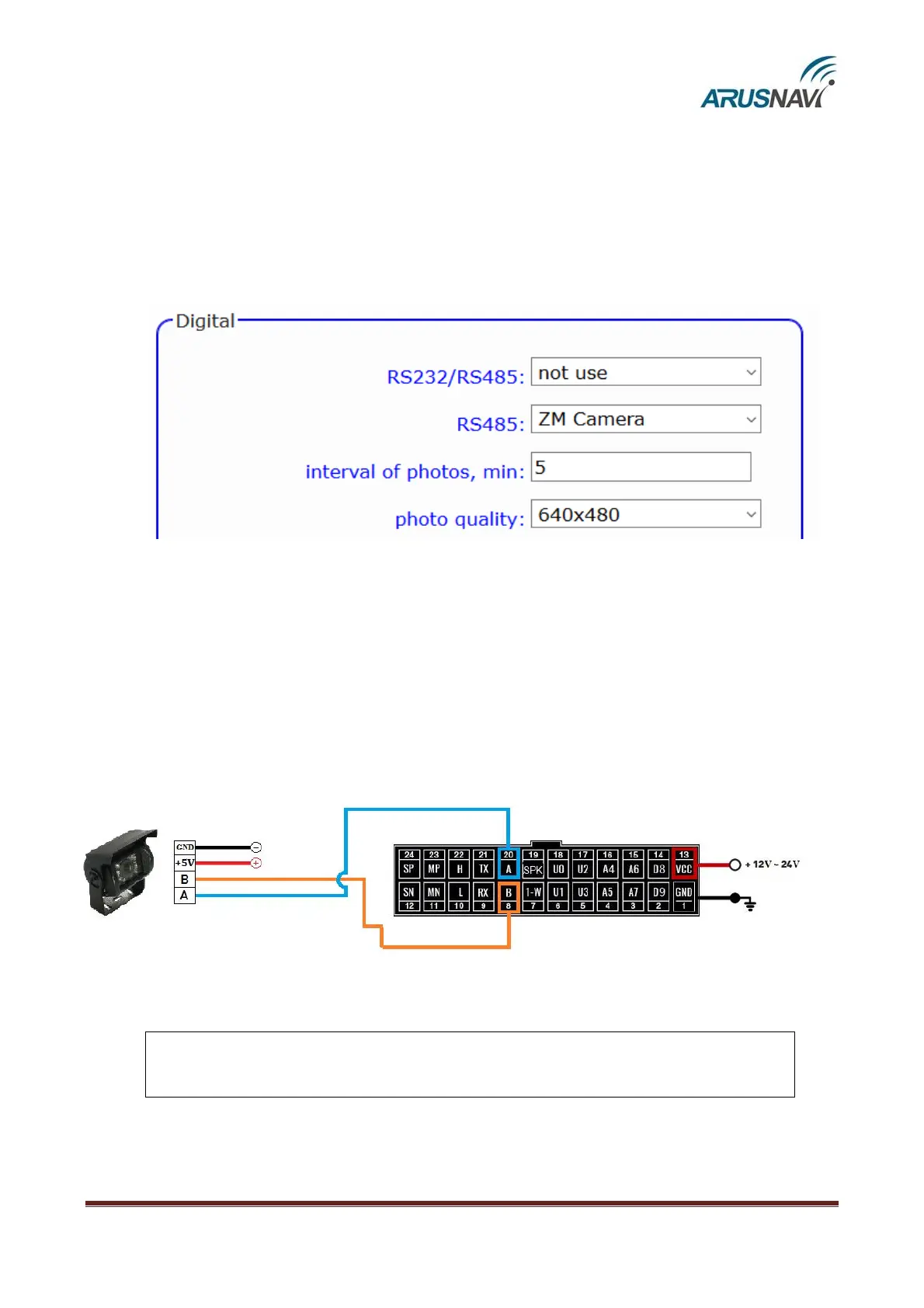
"ZM Camera" mode – connecting the camera "ZM" via RS-485 interface.
Interval shooting and manual shooting are available.
A single photo can be taken using the following commands:
‘<Access_password>*CMD*zmcam’ – SMS command
‘zmcam’ – TCP command in text form (driver message in Wialon).
To activate, select the mode of operation of the digital interface RS-485(see the illustration below).
Mode setting:
Interval shooting. To activate, set the interval of photos from 1 to 65535 minutes. A value of 0
disables the interval shooting.
Photo quality : 160×120, 320×240, 640×480.
Connection:


 To Next Page