
 Need help?
Do you have a question about the Arylic Up2Stream Plate AMP 2.1 and is the answer not in the manual?
Connects antennas for WiFi and Bluetooth signals.
Bass, Tone, and Volume adjustment knobs. Volume knob also switches input.
Ethernet, Aux in, Opt in, USB, and DC power ports.
Button for source switching and WiFi/Bluetooth resets or factory reset.
Connects external buttons, LEDs, IR receiver, and speaker outputs.
Get the 4Stream app from App Store or Google Play.
Steps to connect the device to your home network via WiFi.
Connect the device using an RJ45 cable for network access.
Use Bluetooth for audio streaming by pairing with your phone.
Connect to PC via USB for audio output and DSP tool.
Group multiple devices for synchronized audio playback.
Control playback, setup, and update via a web browser.
Tune audio effects and configure settings using PC software.
Update the device firmware when new versions are available.
Details on audio inputs, outputs, and network connections.
Specifications for L&R and Subwoofer power ratings.
Signal noise ratio, THD+N, and crosstalk measurements.
Details on expansion pins, power supply, size, and weight.
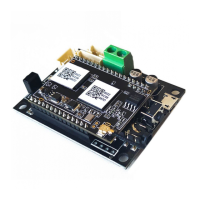
The Up2Stream Plate AMP 2.1 is a versatile 2.1 channel plate amplifier designed for users to build high-quality wireless streaming speakers. This device integrates WiFi and Bluetooth 5.0 connectivity, offering a comprehensive solution for audio enthusiasts. It functions as a full-range Class D plate amplifier, delivering 50W for left and right channels and 100W for the subwoofer. Its connectivity options include a 3.5mm Aux input, Optical input, and a USB input for PC connection, providing flexibility for various audio sources.
The Up2Stream Plate AMP 2.1 enables wireless audio streaming from a variety of sources. Once connected to your home network, you can use the 4Stream app to play music from your mobile device, Network Attached Storage (NAS), or popular online streaming services such as Spotify, Deezer, Tidal, and Qobuz. A key feature is its multiroom audio capability, allowing users to group multiple devices to form a multiroom or multizone system. This means you can play the same music in sync across different rooms or stream different music to different rooms simultaneously.
The device features several physical controls for easy adjustment. Dedicated rotary knobs are provided for adjusting Bass, Tone (treble), and Volume levels. The Volume knob also functions as a source input switch when pressed. A "Mode" button offers multiple functionalities: a single press switches the source input, a quick double press resets the WiFi/Bluetooth connection, and three quick presses initiate a factory reset. A long press turns the device on, and another press turns it off.
Connectivity is robust, with a WiFi antenna socket for receiving WiFi signals and a BT antenna socket for Bluetooth signals. For wired network connections, an Ethernet Port (RJ45) is available. Analog audio input is supported via a 3.5mm Aux in, while digital audio input is handled by an optical/Toslink cable. A USB port allows connection to a PC, functioning as a USB DAC, and is also used with the ACPWorkbench DSP tool. Power is supplied via a 12V-24V DC port.
Expansion pins are provided for connecting external components. These include pins for an external mode button, W-LED, B-LED, L-LED, and U-LED for external LED status lights, KEY pins for an external button board, and IR pins for an external IR receiver. Speaker outputs include a subwoofer speaker socket and separate left and right channel speaker sockets.
App Download and Setup: To begin, users need to download the 4STREAM application from the App Store (for iOS devices) or Google Play Store (for Android devices). The app supports multiple languages, including English, Spanish, French, German, Italian, Portuguese, Korean, Simplified Chinese, Traditional Chinese, and Japanese.
First-Time Usage & BLE WiFi Setup:
Connection via LAN: Plugging an RJ45 cable into the Ethernet port automatically connects the device to your home network, appearing in the app within approximately 10 seconds. Both the mobile phone and the device must be on the same network.
Bluetooth Connection: To use Bluetooth, switch to Bluetooth mode via the 4Stream APP or by pressing the Volume knob or mode button. Then, search for "SoundSystem_XXXX" (or your custom device name) in your phone's Bluetooth settings and pair.
USB Audio: Connect the device to your PC via a USB cable. The PC will automatically detect it as a USB sound card, sending audio output in digital (44.1kHz/16bits). This audio can also be streamed to other Up2Stream devices in a multiroom setup, with approximately a 3-second delay for slave devices.
Multiroom Function: In the 4Stream APP, tap the "+" icon on one device and select other devices to act as slaves. The master device will then stream music in sync to all slave devices.
Web Player Interface: By entering the device's IP address into a web browser, users can access the web player interface. This interface allows for playing/pausing, skipping songs, controlling volume, accessing preset songs defined in the 4Stream APP, entering internet radio URLs, setting up WiFi connections, configuring static IP addresses, performing manual firmware updates, and factory resets. The device's IP address can be found in the 4Stream app under device settings > speaker info. If setting up WiFi via this interface, connect directly to the device's WiFi (SSID: SoundSystem_xxxx); the default IP address is 10.10.10.254, and the default password is "admin."
Up2Stream ACPWorkbench (Sold Separately): For advanced audio tuning, connect the device to a PC via USB and use the Windows program ACPWorkbench. This tool allows real-time adjustment of audio effects, including music noise suppressor, virtual bass, stereo widener, exciter, 10-band EQ, and configuration of output channels and PIN definitions. Changes must be saved to the device to persist.
Firmware Update: The application will notify users when new firmware is available. It is recommended to update the firmware promptly, as updates can correct bugs, improve performance, and add new features or services.
 General
| Amplifier Type | Class D |
|---|---|
| Bluetooth Version | 5.0 |
| Bluetooth Codec | SBC |
| USB Host | Yes |
| Speaker Impedance | 4-8 Ohms |
| Frequency Response | 20Hz-20kHz |
| Multiroom Control | Yes |
| Audio Inputs | Bluetooth, WiFi |
| Audio Outputs | Speaker Output, Subwoofer Output |
| Network Protocols | AirPlay, DLNA |
| Power Supply | 24V/4.16A |
| Product Type | Amplifier Board |
| WiFi Standard | 802.11 b/g/n |
| Ethernet | 10/100Mbps |
| Music Services | Spotify, Tidal, Deezer, Qobuz |
| Dimensions (alternative) | 120 x 100 x 21mm |
| Output Power | 2 x 50W + 100W |












 To Next Page