EasyManua.ls Logo

Arylic Up2stream 2.0 Amp V3 - User Manual

Arylic Up2stream 2.0 Amp V3
7 pages
Print Icon
To Next Page IconTo Next Page
Loading...
Skip to content
Manuals+
User Manuals Simplified.
Arylic Wireless Streaming Amplifier Board User Manual
Home » Arylic » Arylic Wireless Streaming Amplifier Board User Manual
Up2stream 2.0 Amp V3 User Manual
Contents [ hide
1 Introduction
2 What’s in the box
3 Connection Diagram
4 How To Use
4.1 App download
4.2 Connection
5 Specification
6 File Downloads
7 References
8 Related Manuals
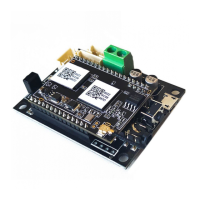
Introduction
enabled, and it is also an all-in-one solution for DIYers to make their customized wireless audio system. After connecting the device to your home
network, with our 4STREAM app, you can play music from your home NAS, USB pen drive, cell phone memory or from online streaming services like
Spotify, Deezer, Tidal, Qobuz, and so on. The wireless multiroom audio system can play the same music to each room in sync or play different music
to different rooms.
What’s in the box
More accessories coming soon at www.arylic.com
3. Interface
Question and Answer IconNeed help?

Do you have a question about the Arylic Up2stream 2.0 Amp V3 and is the answer not in the manual?

Arylic Up2stream 2.0 Amp V3 Specifications

General IconGeneral
Frequency Response20Hz - 20kHz
Bluetooth Version5.0
EthernetYes
MultiroomYes
Output Power2 x 50W
Audio InputsBluetooth
Network ConnectivityWi-Fi
Power SupplyDC 12V-24V
THD+N0.03%
Streaming ProtocolsAirPlay, DLNA, UPnP, Spotify Connect
Supported Audio FormatsMP3, AAC, FLAC, ALAC, WAV

Summary

Introduction

Whats in the box

Connection Diagram

How To Use

App download

Download the 4STREAM application for iOS and Android devices.

Network Mode Connection

Connect to SoundSystem WiFi hotspot for network configuration and usage.

LAN Connection

Connect the device using an RJ45 Ethernet cable for network access.

Bluetooth Connection

Instructions for pairing and connecting via Bluetooth using the app or remote.

USB Audio Connection

Connect to PC via USB for digital audio output and multiroom streaming.

DSP Audio Effects Tool

Tune audio effects like EQ, Bass, and Widener using the PC software.

Firmware Update

Update device firmware for bug fixes, security, and new features.

Specification

File Downloads

References

Related Manuals

Related product manuals