User’s Manual
17
Q: What type of Ethernet cable do I need to connect the AsantéTalk
to a switch, hub, or bridge?
A: An Ethernet cable that is wired as a standard IEEE 10BaseT ca-
ble is required. The cable must be a Category 3 or 5 type and not
exceed an overall length of 100 meters or 328 feet.
Q: I just connected an Apple computer to the AsantéTalk via
Ethernet. Why don’t I see my LocalTalk printers or systems?
A: After connecting the yellow cable to the AsantéTalk and the com-
puter, the computer must be configured for the proper connection
method. To verify or configure the setting, if using OS 7.6 through
OS 9.2.2, simply open the control panel device named “AppleTalk.”
For proper operation, the “Connect Via” selection must be set to
Ethernet. If using OS 10, go to the Network Pane, set Show to the
Ethernet port, click on the
AppleTalk
tab, click the box
Make
AppleTalk Active
, and then click
Apply Now
.
Q: When I switch to Ethernet in my AppleTalk control panel, it takes
awhile before it switches. Is this normal?
A: Yes. When making the Ethernet selection, the system will poll the
Ethernet network and may hesitate for a few moments; this is nor-
mal. When it finishes switching, save the configuration, then go to
the “Chooser” and select the appropriate resource icon.
Q: Is the AsantéTalk a router?
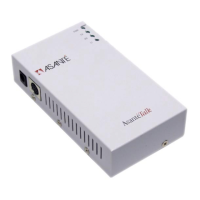
A: No. AsantéTalk is simply a LocalTalk to Ethernet converter
that allows the Apple iMac or other Macintosh systems utilizing the
EtherTalk protocol on Ethernet to print and share files with Apple-
Talk protocol-compatible systems or printers on LocalTalk.
Q: Will the AsantéTalk process TCP/IP?
A: No. Because the AsantéTalk is not a router, it will not pass IP
packets.
Q: If AsantéTalk is not a router how do I establish zones within my
Ethernet network?


 To Next Page