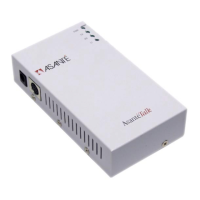
AsantéTalk Ethernet to LocalTalk Converter
6
•
1 din-8 to din-8 serial cable
•
1 power supply
•
User’s Manual (this document)
1.2 Installation Steps
Follow the steps below to connect your AsantéTalk converter:
1. Connect the AsantéTalk to your LocalTalk network or printer.
2. Connect the AsantéTalk to your computer or existing Ethernet
network.
3. (Optional) Configure your computer to communicate over
Ethernet.
Attaching the AsantéTalk to your LocalTalk network
Connect a LocalTalk adapter to the din-8 port on the AsantéTalk.
Then, connect your LocalTalk cable to the LocalTalk port on the
adapter.
See the Quick Start Guide (p. 2) for more information.
1. The AsantéTalk supports a maximum of eight (8) devices plus
the AsantéTalk, or nine (9) nodes maximum.
2. The LocalTalk network must be configured as a “bus” network.
3. The LocalTalk network must be properly terminated at both
ends of the LocalTalk cable.
Note: LocalTalk adapters/connectors from approved sources
may be used.
•
LocalTalk network configurations wired as a “star” or
“modified star” are not supported.
Note: It is recommended that the AsantéTalk be installed as
the first device in the LocalTalk network. The LocalTalk con-
nector on the AsantéTalk must also include a LocalTalk
Terminator, which is normally included with the LocalTalk con-


 To Next Page