User’s Manual
21
Chapter 4 Troubleshooting
This chapter looks at some common problems with setup and con-
figuration of the AsantéTalk and offers some solutions. If you cannot
resolve your problem after trying the following solutions, contact
Technical Support for assistance (see Appendix A: Online Warranty
Registration and Card).
4.1 Most Common Problems and Questions
The following section describes the most common problems associ-
ated with setup and installation of the AsantéTalk converter.
1. The AsantéTalk must be the last LocalTalk device powered up
under any configuration.
•
Completely connect and power up all LocalTalk devices
and wait until all LocalTalk devices are fully ready, then
power up the AsantéTalk. Wait at least 30 seconds and
then check to see if network resources are available
•
If devices on the LocalTalk side of the bridge are turned
off, the AsantéTalk must also be powered down. When the
LocalTalk devices are to be used again, allow them to be
completely powered up before turning the AsantéTalk back
on
•
The AsantéTalk works best if it and all LocalTalk devices
are always left powered up
•
Devices on the Ethernet side of the network do not have
this restriction
2. Not all printers will work with the din-8 to din-8 cable provided
with the AsantéTalk.
•
Some printers require that you employ LocalTalk connec-
tors between the printer and the AsantéTalk. LocalTalk
connectors must be purchased separately
•
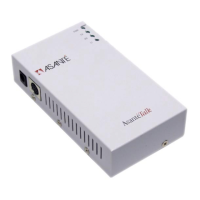
A LocalTalk connector is a box that appears something like
this:


 To Next Page