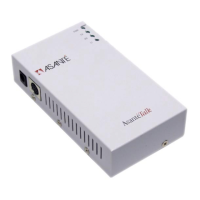
AsantéTalk Ethernet to LocalTalk Converter
2
Quick Start Guide
This section will guide you in setting up your AsantéTalk to your Macintosh computer.
Follow the steps below to set up a direct connection or LAN connection with the As-
antéTalk:
A
SANTÉ
T
ALK
DIRECT
CONNECTION
TO
THE
E
THERNET
E
QUIPPED
M
ACINTOSH
™
(Yellow cable - direct connection)
1. Open the side door to expose the ports found inside your computer.
2. Locate the Ethernet port inside the computer. Plug the yellow direct connect ca-
ble into the computer’s Ethernet port.
3. Plug the other end of the yellow direct connect cable into the AsantéTalk.
4. Plug the power adapter into the AsantéTalk and then into a power outlet.
5. Plug the white mini din-8 to mini din-8 cable into the Side B of the AsantéTalk.
6. Plug the other end of the mini din-8 cable into your LocalTalk
®
printer or com-
puter.
A
SANTÉ
TALK
LAN
CONNECTION
TO
THE
E
THERNET
E
QUIPPED
M
ACINTOSH
(Silver cable - LAN connection)
1. Open the side door to expose the ports found inside your computer.
2. Locate the Ethernet port inside the computer. Plug a standard LAN cable into the
computer’s Ethernet port. Plug the other end of the standard LAN cable into a
hub or switch.
3. Plug the silver LAN cable into the AsantéTalk’s Ethernet port. Plug the other end
of the silver LAN cable into a switch or hub.
4. Plug the power adapter into the AsantéTalk and then into a power outlet.
5. Plug the existing LocalTalk network connection into Side B of the AsantéTalk.
6. If you have an network connection (i.e. cable modem, DSL, or T1 line) that con-
nects your system to the Internet, you will need to temporarily disconnect it from
the network in order to set up the AsantéTalk and your printer.


 To Next Page