User’s Manual
9
•
Ethernet, if you connect to the Internet using your Local
Area Network
Note: See the documentation that came with your computer if you
need more information.
1.4 AsantéTalk Power-Up
AsantéTalk takes approximately 15 seconds to come up on a net-
work. It automatically detects the presence of LocalTalk devices
and registers them as nodes on the Ethernet network.
After the AsantéTalk is active on the Ethernet network, any Local-
Talk nodes that are connected to the LocalTalk segment of the net-
work will appear within the Apple Macintosh Chooser. Those nodes
will be able to utilize server resources on either Ethernet or Local-
Talk (if operating systems are close) and AppleTalk capable printers
on the LocalTalk side of the network.
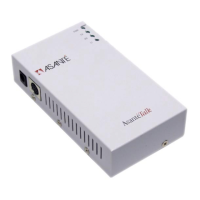
1.5 AsantéTalk LEDs
The four (4) LEDs on the AsantéTalk indicate activity on the
Ethernet and LocalTalk networks. The LEDs are shown on the table
below:
LED Name Purpose
PWR Power
TX Transmit
RX Receive
LI Link Integrity
Table 1--Four LEDs


 To Next Page