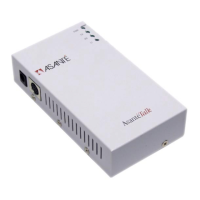
AsantéTalk Ethernet to LocalTalk Converter
24
http://www.info.apple.com/info.apple.com/applespec/
applespec.taf
http://www.hp.com/cposupport/nonjsnav/prhome.html
http://www.epson.com/support/instans/prselmac.html
4. The yellow Ethernet cable versus the silver Ethernet cable.
•
The yellow Ethernet cable is a crossover cable. As such, it
is for use when the AsantéTalk is plugged directly into the
Ethernet port of a Mac
•
The silver Ethernet cable is a straight-through cable. It is to
be employed when connecting the AsantéTalk into an
Ethernet hub or switch
•
If the correct cable is used, the “LI” LED on the AsantéTalk
will light
5. Multiple LocalTalk devices and the AsantéTalk.
•
When attaching more than one LocalTalk printer or com-
puter, LocalTalk connectors must be used to “daisy chain”
the devices together
•
One LocalTalk connector must be plugged into each Local-
Talk device, including the AsantéTalk. Phone cables
(RJ11) must then be used to go from one device to the
next in a straight line. The devices at the two ends of the
chain must have a terminator plugged into the spare RJ11
phone jack. The AsantéTalk MUST BE one of these two
devices at the end. In other words, the LocalTalk connec-
tor plugged into the AsantéTalk must have the terminator
in one of its RJ11 phone jacks
•
All RJ11 cables must be at least 6 feet long
•
Star configurations or passive star configurations are NOT
compatible with the AsantéTalk. For this reason, the
AsantéTalk cannot be in the middle of a daisy chain con-
figuration
•
Multiple AsantéTalk units cannot be added to the same
LocalTalk daisy chain. If you need to add multiple Ethernet
Macs to a LocalTalk daisy chain, you must connect the
Ethernet devices to a hub and then connect one As-
antéTalk between the hub and the LocalTalk network


 To Next Page