TD 92989EN
15 October 2014 / Ver. B
Installation Guide
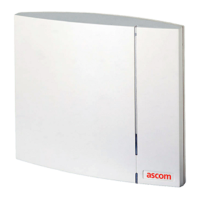
IP-DECT Base Station & IP-DECT Gateway
Contents
1 Introduction............................................................................................................. 1
1.1 Abbreviations and Glossary ................................................................................ 1
2 Description............................................................................................................... 2
2.1 IPBS1 ................................................................................................................. 2
2.1.1 IPBS1 with Internal Antenna ...................................................................... 2
2.1.2 IPBS1 with External Antennas .................................................................... 4
2.2 IPBS2 ................................................................................................................. 5
2.2.1 IPBS2 with Internal Antenna ...................................................................... 5
2.2.2 IPBS2 with External Antennas .................................................................... 7
2.3 IPBL ................................................................................................................... 9
2.3.1 Overview ................................................................................................... 9
2.3.2 Power Supply ............................................................................................. 9
2.3.3 LED indication .......................................................................................... 10
2.4 BS3x0 .............................................................................................................. 12
2.5 DB1 ................................................................................................................. 14
2.5.1 DB1 with Internal Antenna ...................................................................... 14
2.5.2 DB1 with External Antennas .................................................................... 16
2.6 AC-adapter ...................................................................................................... 17
3 Installation of the Base Station............................................................................ 18
3.1 Base Station Cabling ........................................................................................ 18
3.2 Install the Base Station ..................................................................................... 18
3.2.1 Fix the Mounting Bracket to a Wall .......................................................... 18
3.2.2 Fix the Mounting Bracket to a Ceiling ...................................................... 19
3.2.3 Fix the Mounting Bracket to a Pole or Beam ............................................. 19
3.2.4 Use the Cable Ducts for IPBS1 .................................................................. 20
3.2.5 Connect External Antennas (only IPBS2 and DB1) ..................................... 21
3.2.6 Secure the Cable ...................................................................................... 23
3.2.7 Pinning .................................................................................................... 23
3.2.8 Connect the Base Station Cables .............................................................. 24
3.2.9 Mount the Base Station ........................................................................... 24
3.3 Power the Base Station .................................................................................... 25
3.3.1 Power the IPBS over Ethernet ................................................................... 25
3.3.2 Power the BS3x0 and DB1 over Express Powering Pair (EPP) and data pairs 25
3.3.3 Power the Base Station with a Local Power Supply ................................... 25
4 Installation of the IPBL.......................................................................................... 27
4.1 Install the IPBL .................................................................................................. 27
4.2 Pin the IPBL Cable ............................................................................................ 29
4.2.1 Synchronization Cable ............................................................................. 29


 To Next Page