Table of Contents
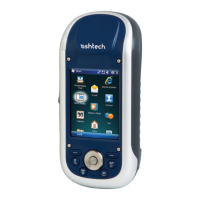
What is MobileMapper 100?........................................................1
First-Time Use ...........................................................................2
Unpacking ............................................................................2
Charging the Battery for the First Time ....................................2
Inserting the Battery Into the Receiver.....................................3
Turning the Receiver On.........................................................3
Adjusting Backlight Level .......................................................4
Setting Backlight Idle Time ....................................................4
Power Management................................................................4
Regional Settings ..................................................................5
Locking the Screen and the Keypad.........................................5
How to Hold the Receiver .......................................................5
Switching to Suspend Mode....................................................6
Turning the Receiver Off ........................................................6
System Description.....................................................................7
Receiver Front View ...............................................................7
Receiver Rear View ................................................................8
Receiver Side View (Left)........................................................8
Receiver Bottom View ............................................................9
Docking Station.....................................................................9
Special Features ......................................................................12
Power Modes.......................................................................12
LED Indicator......................................................................13
Internal Battery ...................................................................13
GPRS Connection Using the Internal Modem..........................14
CDMA Connection Using an External Mobile Phone.................16
Using the Camera ................................................................19
Making a Video....................................................................20
Using Windows Mobile 6.5 ...................................................22
Using MobileMapper Field Software ...........................................23
Installing MobileMapper Field...............................................23
Getting Started With MobileMapper Field...............................24
Creating a New Job ..............................................................28
Creating New Layers ............................................................29
Adding Existing Layers to a Map Job......................................35
Adding Background Maps.....................................................35
Logging New Features ..........................................................38
Revisiting Features ..............................................................46
Upload/Download Functions .................................................48
Coordinate Systems .............................................................49
Voice Setting.......................................................................50
Post-Processing Option and MobileMapper Office........................51
Unlocking the Post-Processing Option in the Receiver .............51
Logging Raw Data................................................................51
Installing MobileMapper Office Software ................................52


 To Next Page