English
2
First-Time Use
Unpacking Open the receiver box and unpack the following items:
• Receiver
• Battery
• Docking station
• Universal AC adapter
•USB cable
Charging the
Battery for the First
Time
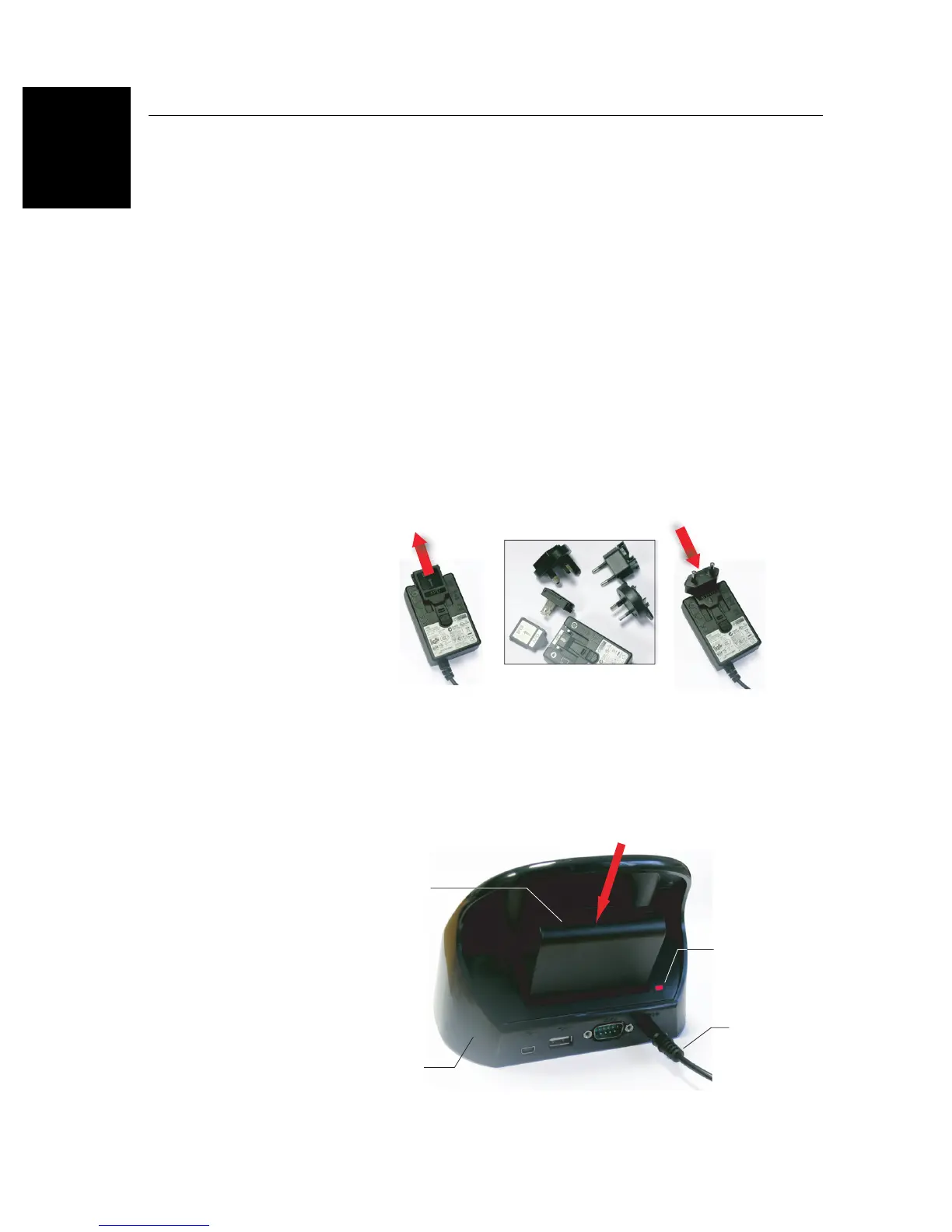
The fastest way to charge the battery before first use is to plug
it directly onto the back of the docking station and leave it
there for less than 4 hours until it’s fully charged. Follow the
instructions below.
• Prepare the AC adapter:
– Remove the protective cover [1] by pushing the button
then sliding the cover forward.
– Choose the plug that fits your country’s AC outlet
standard (see [2]) and slide it into the AC adapter [3}.
(A “click” must be heard when fully inserted.)
– Connect the AC adapter to an electric outlet.
• Put the docking station [4] on a horizontal plane.


 To Next Page