PAGE 10
ReAR PAneL
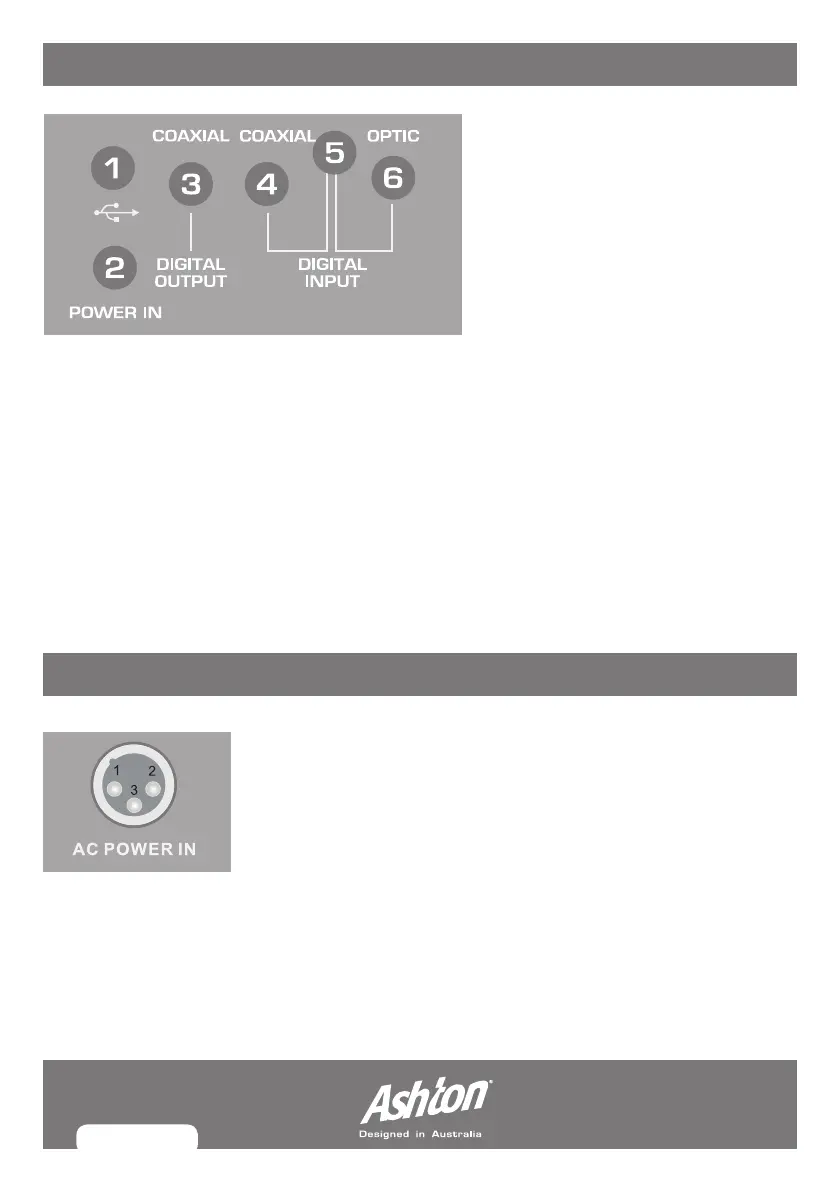
1. USB: This connects to a computer for recording and playback.
2. AC POWER IN:Usethistoconnecttotheassembledpoweradaptor.
3. COAXIAL DIGITAL OUTPUT:Usethistoconnectthemixertoexternaldigitaldevices
for recording or processing.
4. COAXIAL DIGITAL INPUT: ThisconnectswithDVDorotherdigitalcoaxialsignal
output equipment.
5. DIGITAL INPUT : This turns the optical and coaxial signal record on or off.
6. OPTICAL INPUT: ConnectwithDVDorotheropticalsignaloutputequipment.
Toturntheuniton,plugpowercordintotheACpowerinputlocatedontherearpanel
of the unit, then switch the power on using the power switch.
The“Power”lightwillilluminateonthefrontpaneltoindicatethedevicehasbeen
switched on.
PoWeR
MX12FX_MANUAL.indd 10 8/07/10 5:20 PM



 To Next Page