Contents
2Front panel
3Safety instructions
4Before washing for the first time
5Loading the dishwasher
9Using the dishwasher
13Settings
15Care and cleaning
17Troubleshooting
20Technical information
21Installation
22Service
23Information for test institute
24Quick guide
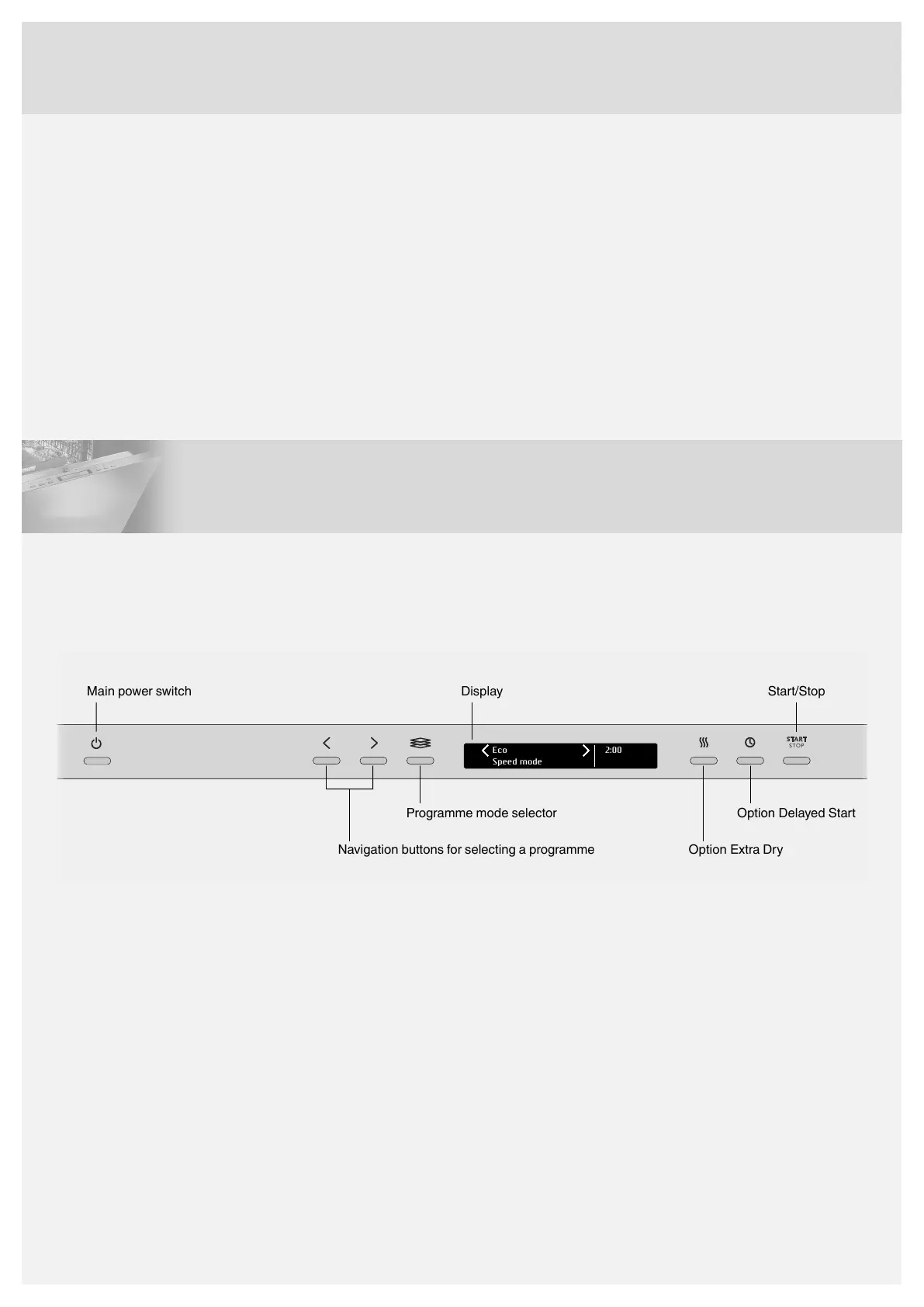
Front panel
Open the door and press the main power switch.
"Welcome to your new ASKO. This is a first time set up." is shown on the display the first time the dishwasher is switched on. It
is important that you choose the right settings to ensure good dishwashing results. See page 4.
Eco
Speed mode
2:00
START
STOP
Display Start/Stop
Programme mode selector
Navigation buttons for selecting a programme
Option Delayed Start
Option Extra Dry
Main power switch
2


 To Next Page