65
SERVICE
2
2
3
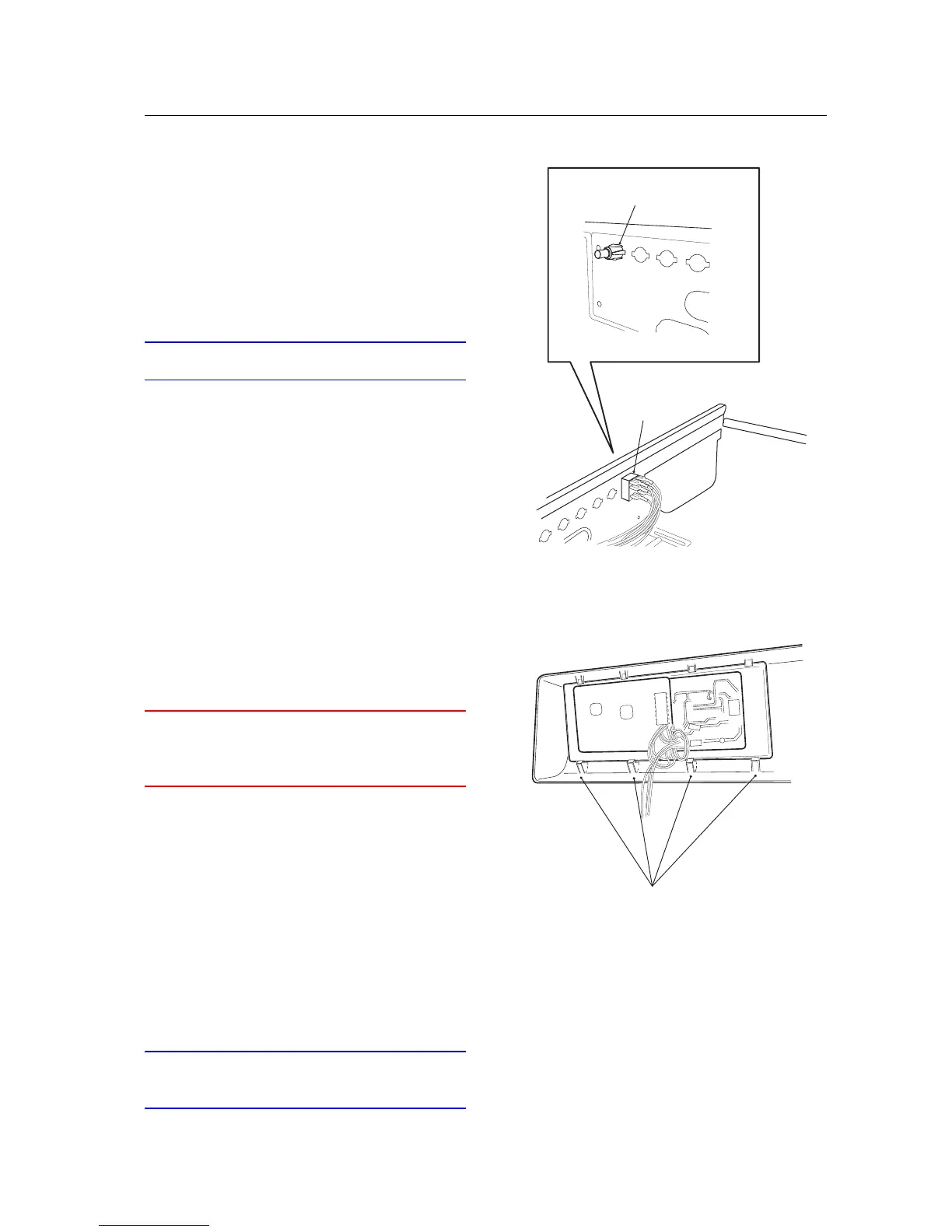
Changing the push-button switches
1. Remove the panel in accordance with the sec-
tion "Panel - removing...".
2. Get hold of the switch inside the machine and
pull on it, while at the same time bending the
wings at the front of the switch inwards with
a screwdriver.
IMPORTANT
Connect the correct wire to the correct terminal.
3. Press in the new push-button and check that
the wings open out.
4. Install the panel in accordance with the sec-
tion "Panel - installation...".
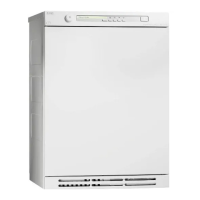
Changing the DCU panel board (T760/780)
WARNING
An earthed EMC wristband must be worn at all
times when working with electronic components
to prevent damage to them.
1. Remove the three screws at the rear edge and
lift off the top cover.
2. Remove the panel in accordance with the sec-
tion "Panel - removing...".
3. Remove the panel board from the snap fas-
teners with the aid of a screwdriver.
4. Lift it out.
5. Install the panel board.
6. Install the panel in accordance with the sec-
tion "Panel - installation...".
7. Fit the top cover.
IMPORTANT
Don't forget the 2 star washers for the outermost
screws.



 To Next Page