66
SERVICE
P
1
P2
E
N
T
E
R
3
4
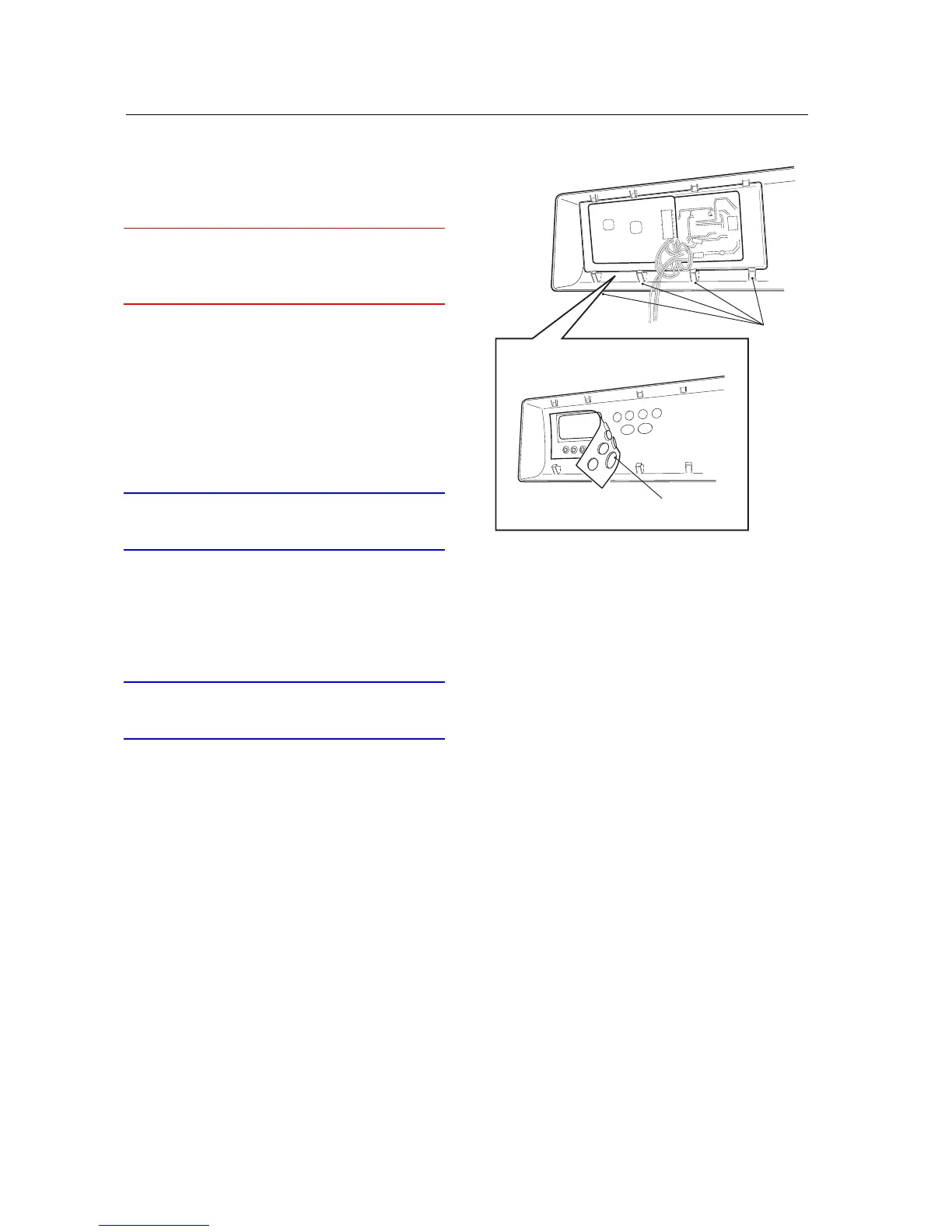
Changing the push-buttons (T760/780)
WARNING
An earthed EMC wristband must be worn at all
times when working with electronic components
to prevent damage to them.
1. Remove the three screws at the rear edge and
lift off the top cover .
2. Remove the panel in accordance with the sec-
tion "Panel - removing...".
3. Remove the panel board with snap fasteners.
4. Lift out the button sheet with the push-but-
tons.
IMPORTANT
Take care when installing the push-buttons to get
them in the correct locations.
5. Install the push-buttons and the panel board.
6. Install The panel in accordance with the sec-
tion "Panel - installation...".
7. Fit the top cover.
IMPORTANT
Don't forget the 2 star washers for the outermost
screws.



 To Next Page