16
Washing
7
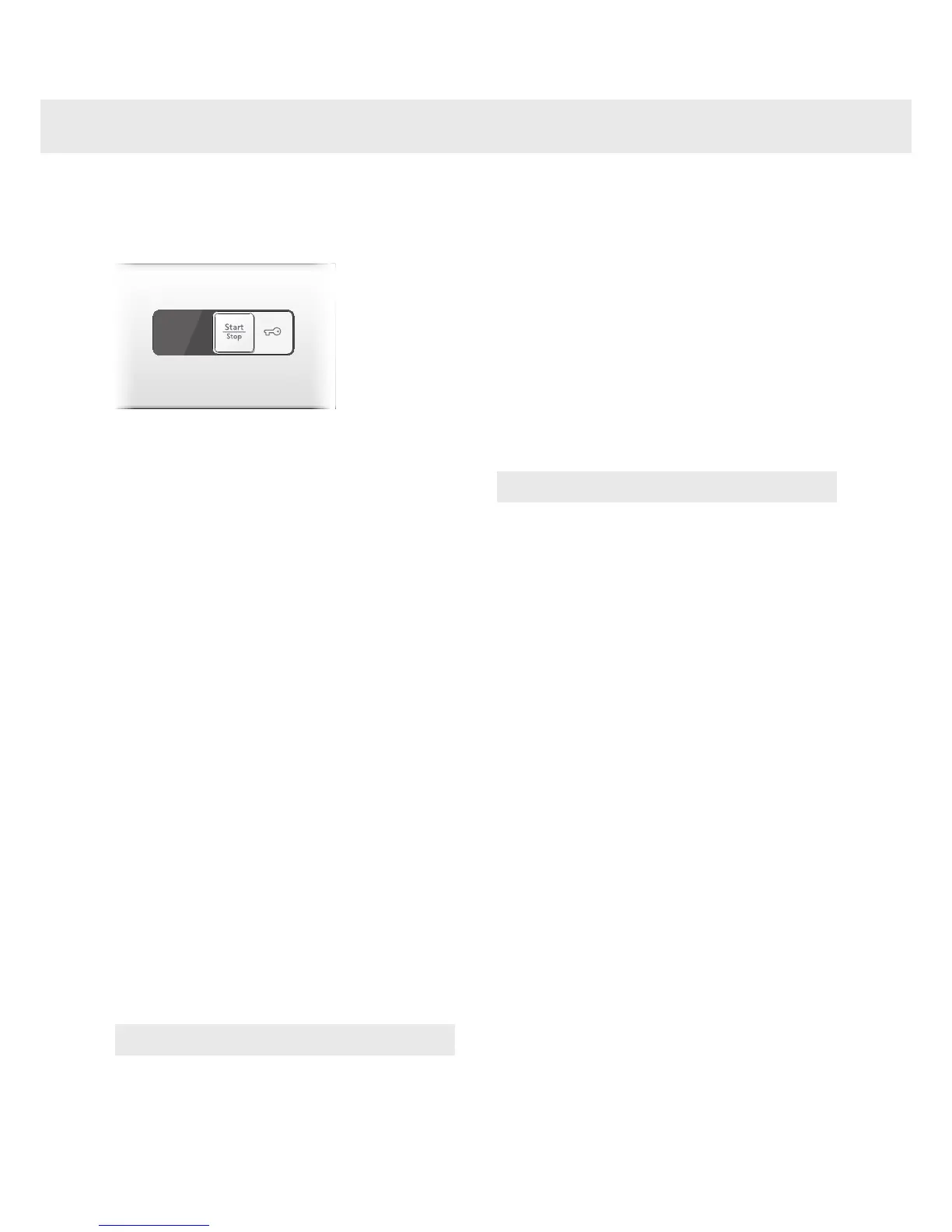
Close the washer door and
press the Start/Stop button
Time remaining
When the program starts an estimated program
time, in hours and minutes, is displayed. The
remaining time is updated three times during
the program, based on the actual load and
the incoming water temperature. The rst
update takes place after about 15 minutes. The
remaining time is last updated just before the
nal rinse.
To add or remove washing after the
program starts
If you want to add or remove items after the
program has started, you can stop the program
by pressing and holding the Door opening
button (key symbol) for three seconds. The
program time ashes on the display. When you
restart the machine, add any extra detergent
needed and close the washer door. The
machine continues automatically from the point
where the program was interrupted.
Stopping or changing a programme
You can stop a program by pressing the Start/
Stop button for three seconds. To restart the
machine, select a new program, add any extra
detergent needed and press the Start/Stop
button.
NOTE!
Do not open the detergent compartment while
the machine is running.
8
Once the program has
nished
The text "End" is shown on the display
for 2 minutes. The machine then turns o.
The washer door opens automatically once the
program has nished. If you want to deactivate
the automatic door opening function, see the
"Selecting settings" section.
• Remove the load.
If you have small children or pets at home, close
the washer door once you have removed the
laundry.
NOTE!
Upon completion of the washing cycle, close the
water faucet and unplug the mains cord.


 To Next Page