Servicemanual WM60
13
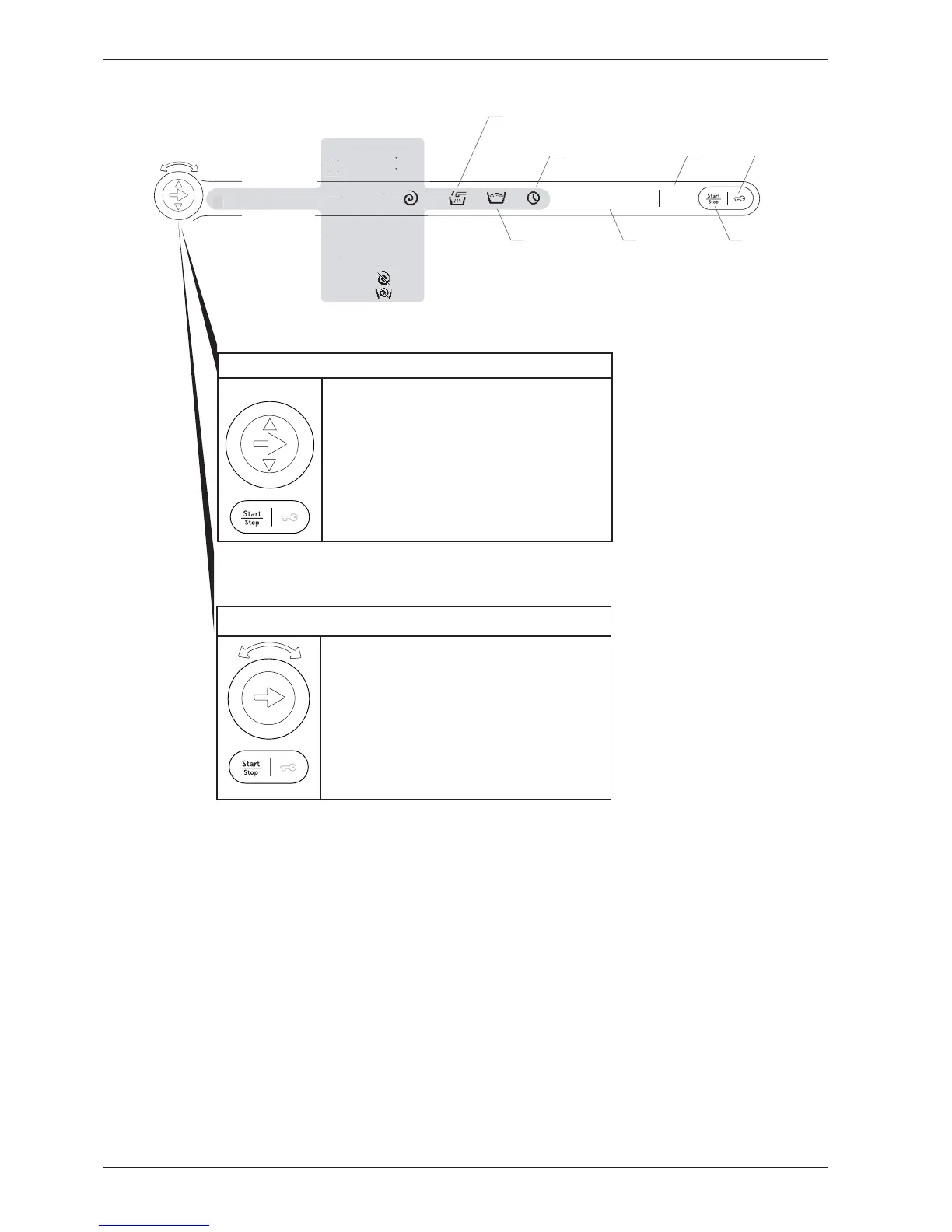
Program selector
2
1
2
1. Press the program selector button to navi-
gate between the different menus (e.g. to go
from temperature menu to spin menu).
2. Press the small arrows to make a selection in
the menus (e.g. select 1400 rpm). Confirm the
selection and go to the next menu by pressing
the program selector button.
3. Press Start/Stop to start. Hold Start/Stop in
for 3 seconds to exit the current program.
Super rinse
Normal rinse
Economy rinse
Delayed Start
Clock
Finish timeHigh water level
Normal water level
Start/Stop
Door ope-
ning
Program selector for integrated machines
1
2
2
1. Press the program selector button to navi-
gate between the different menus (e.g. to go
from temperature menu to spin menu).
2. Turn the program selector button to make a
selection in the menus (e.g. select 1400 rpm).
Confirm the selection and go to the next
menu by pressing the program selector button.
3. Press Start/Stop to start. Hold Start/Stop in
for 3 seconds to exit the current program.
Program selection, options and making settings WM60.3
Program 1
Program 2
Program 3
Program 4
Program 6
Program 7
Program 8
Program 9
Program 10
Program 11
Program 12
Program 13
Program 14
Program 5



 To Next Page