Servicemanual WM60
30
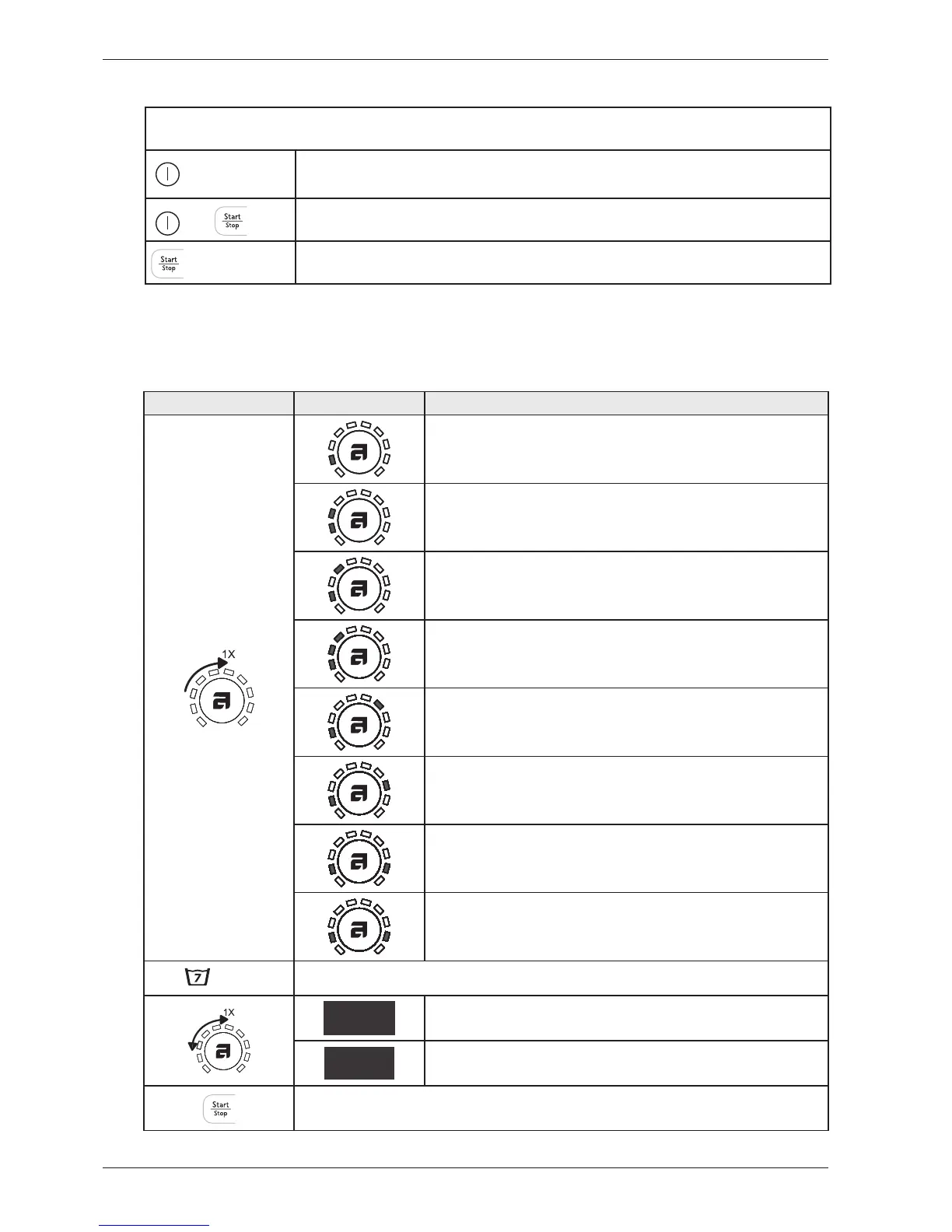
Turn/press
SCREENING Comments/Instructions
No component
Intake valve 1 starting
Intake valve 2 starting
Intake valve 1 and 2 starting
Heater starts and warms up to a maximum of 60 ° C
Drain pump starts
Spin and drain pump starts
Door opening
Press the button for Super Wash (S7) to get to the settings of the number of rinse.
5
5 rinses
3
3 rinses
Press the START / STOP button (S10) to store the choices and leave the service menu. Press the button for
Super Wash (S7) to get back to the component test.
How to get to the service menu
Is the machine turned on: turn off the power first at the main switch
+
Press and hold the Start/Stop button while you press the main switch
X 5
Press the Start/Stop button five times.
Service menu WM60.1



 To Next Page