28
USE
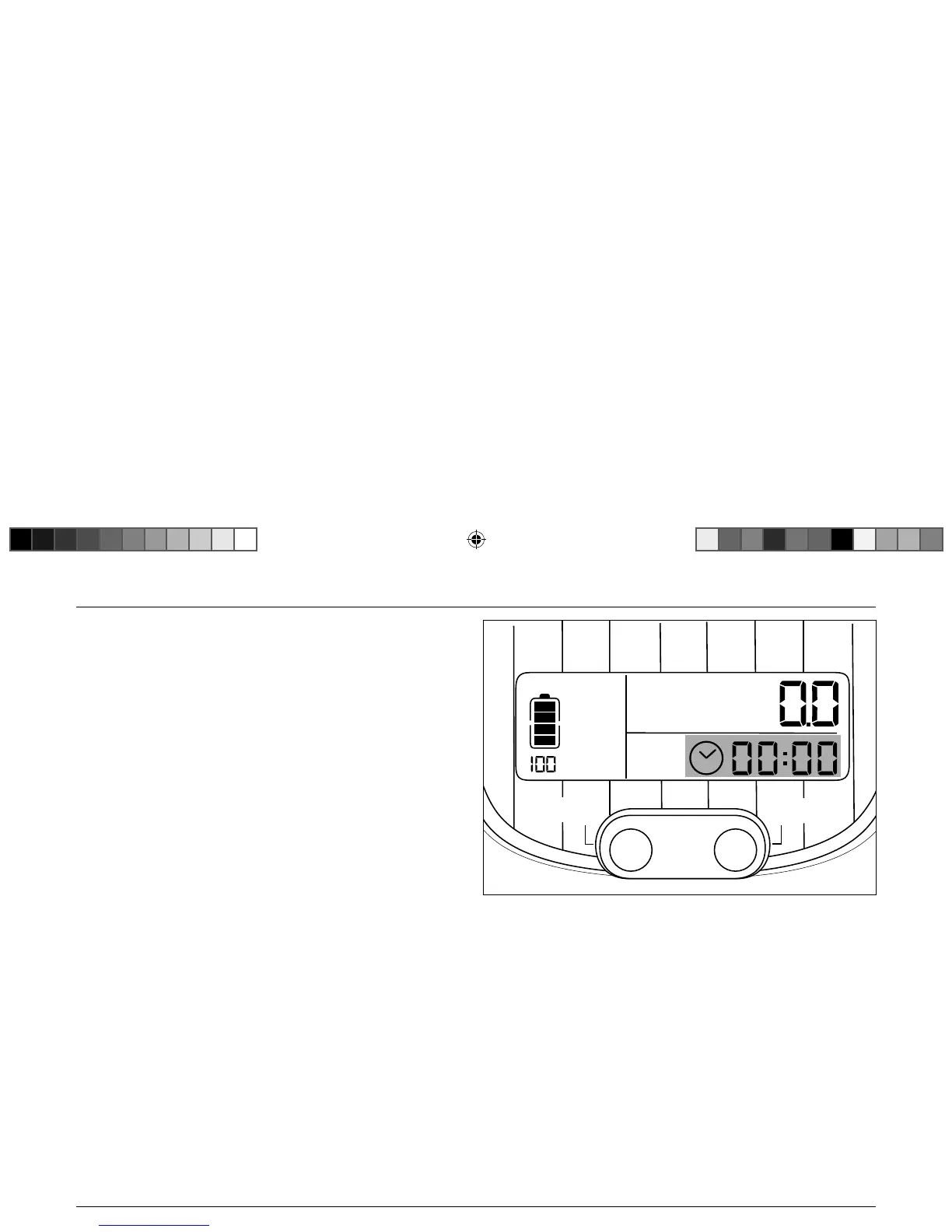
Setting the clock
• Press and hold SELECT button for 2 seconds: two
hour digits will start blinking.
• Press SELECT as necessary to set the right hour.
• Press SET: minutes digits will start blinking while
hour digits will not blink any more.
• Press SELECT as necessary to set the right
minutes.
• Press SET button to exit.
Since time is stored in the vehicle battery, in case of
two batteries, it is convenient to set the clock with both
batteries installed to synchronize time. In the presence
of two batteries, time displayed is the one stored in
compartment A.
For battery description and placement in compartments
A and B refer to the chapter “BATTERY AND
CHARGE”.
%
Km/trip
A
PWR
SELECT
SET
eS1_eS2_eS3_Rev_0_EN.indb 28eS1_eS2_eS3_Rev_0_EN.indb 28 4/28/2017 9:05:12 AM4/28/2017 9:05:12 AM



 To Next Page