38
English
3.3 OC Tweaker Screen
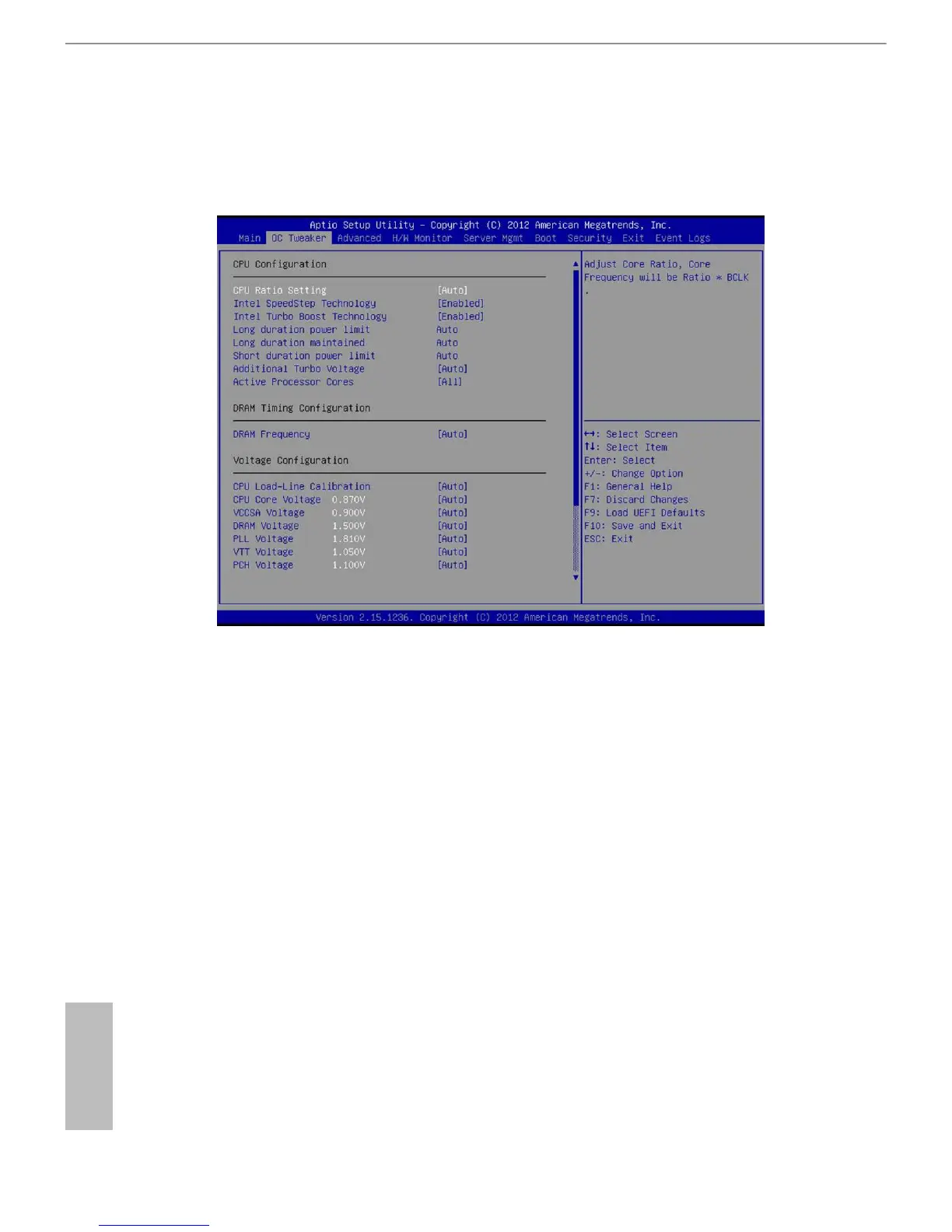
In the OC Tweaker screen, you can set up overclocking features.
3.3.1 CPU Conguration
CPU Ratio Setting
Use this item to adjust the Core Ratio. e CPU speed is determined by the CPU
Ratio multiplied with the BCLK. Increasing the CPU Ratio will increase the internal
CPU clock speed without aecting the clock speed of other components.
Max Ratio
When the CPU Ratio Setting is set to [All Core], use this item to set the maximum
core ratio for all cores. e valid value ranges dierently according to your CPU
model.
x-Core Ratio Limit
(x means number)
When the CPU Ratio Setting is set to [Per Core], use this item to set the CPU core
ratio individaully. e valid value ranges dierently according to your CPU model.
(Supported only for overclocking CPU models)







 To Next Page