66
English
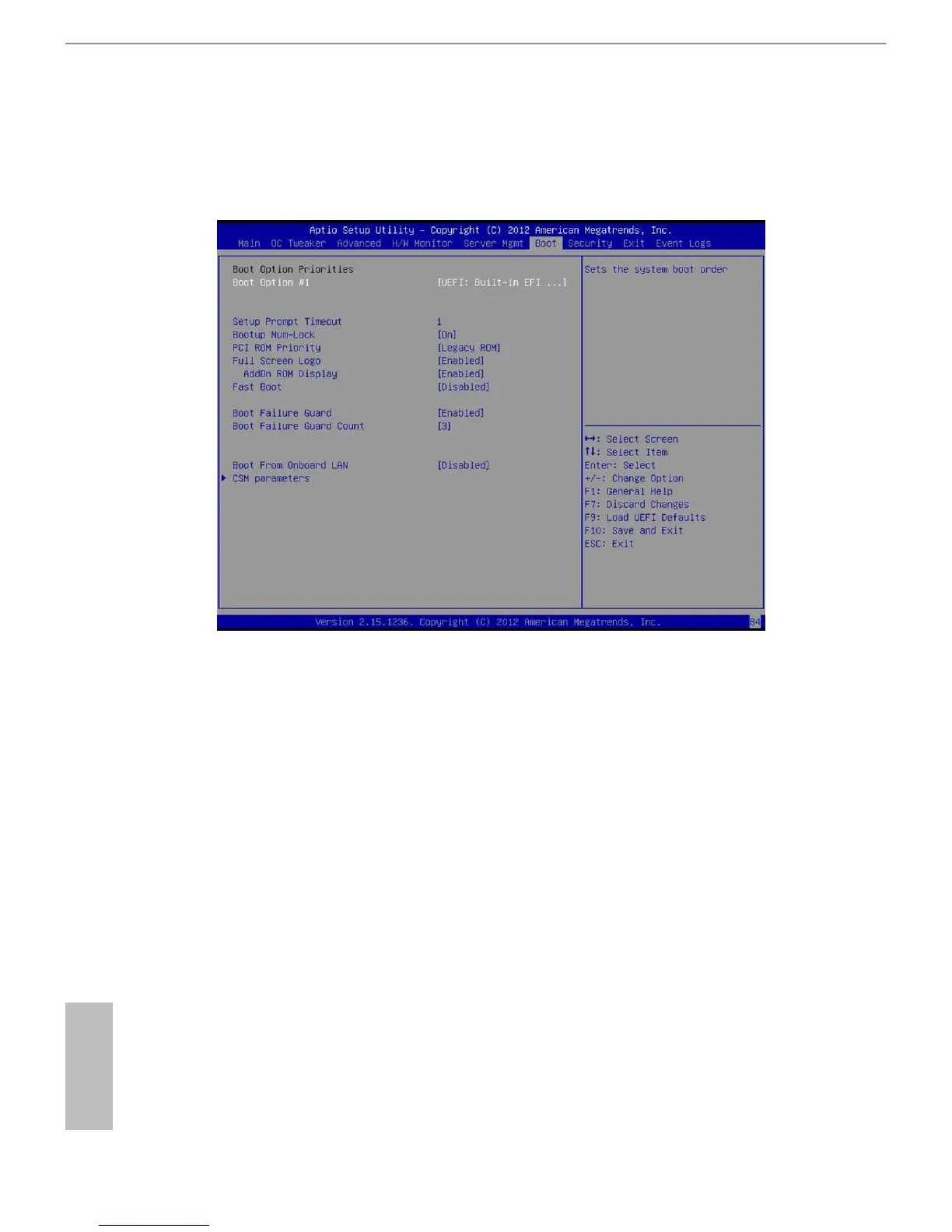
3.7 Boot Screen
In this section, it will display the available devices on your system for you to congure the
boot settings and the boot priority.
Boot Option Priorities-
Boot Option #1
Use this item to set the system boot order.
Setup Prompt Timeout
is shows the number of seconds to wait for setup activation key.
Bootup Num-Lock
If this item is set to [On], it will automatically activate the Numeric Lock function aer
boot-up.
PCI ROM Priority
Use this item to adjust PCI ROM Priority. e default value is [LegacyROM]
Full Screen Logo
Use this item to enable or disable OEM Logo. e default value is [Enabled].







 To Next Page