EPC602D8A / EPC602D8A-V+
53
English
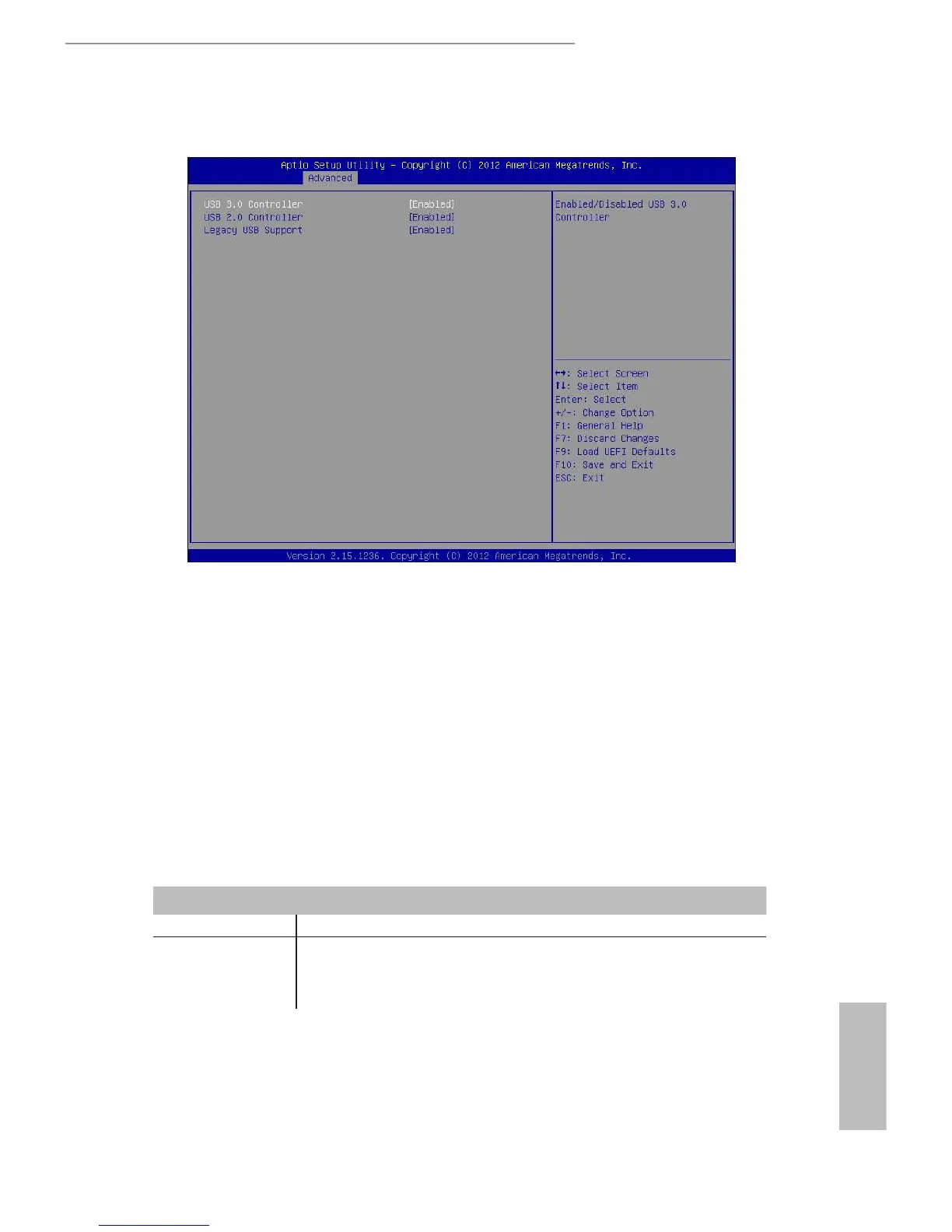
3.4.8 USB Conguration
USB 3.0 Controller
Use this item to enable or disable the use of USB controller. e default value is [Enabled].
USB 2.0 Controller
Use this item to enable or disable the use of USB controller. e default value is [Enabled].
Legacy USB Support
Use this option to select legacy support for USB devices. There are four configuration
options: [Enabled] and [Disabled]. The default value is [Enabled]. Please refer to below
descriptions for the details of these four options:
Option Description
Enabled Enables support for legacy USB.
Disabled USB devices are not allowed to use under legacy OS and UEFI
setup when [Disabled] is selected. If you have USB compatibility
issues, it is recommended to select [Disabled] to enter OS.







 To Next Page