46
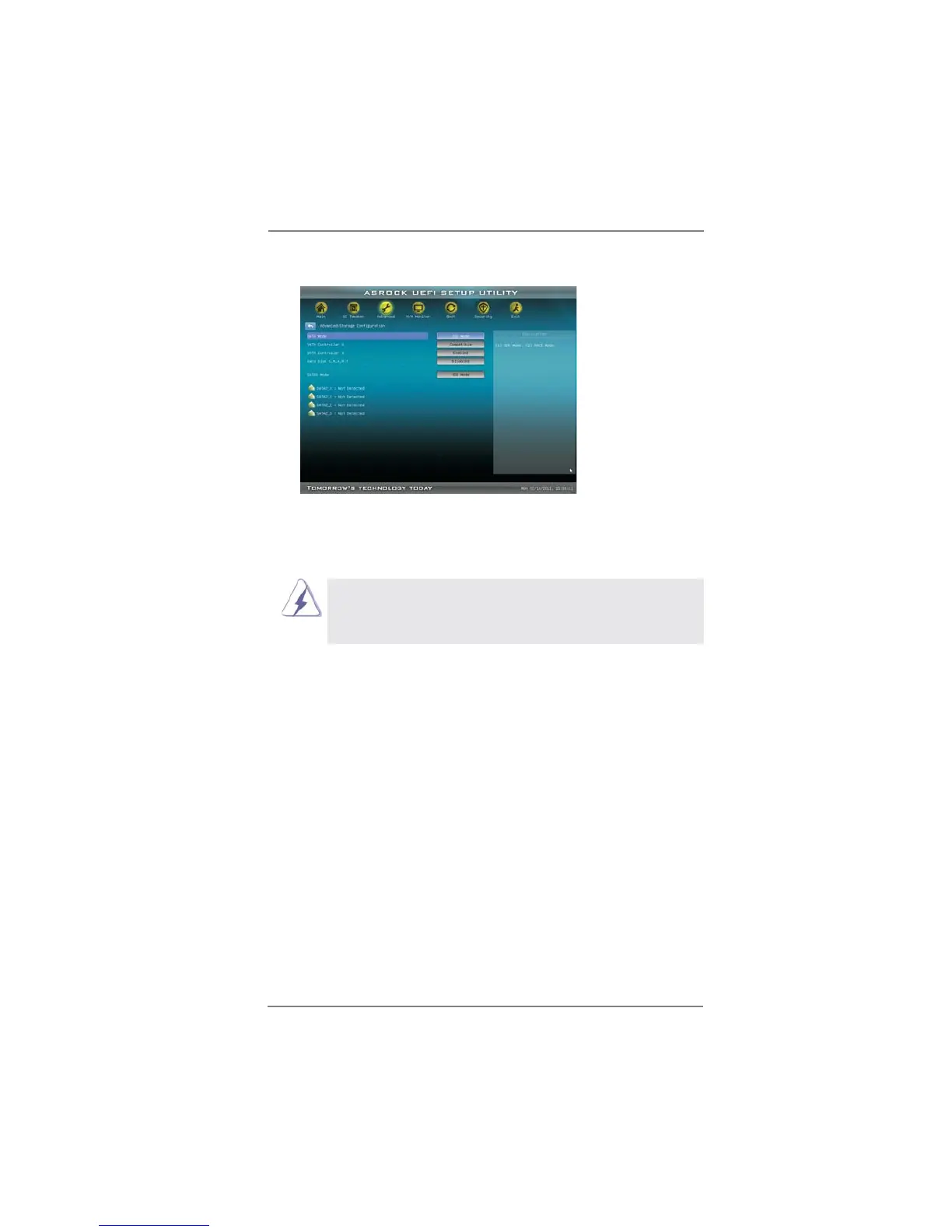
3.4.4 Storage Configuration
SATA Mode
This item is used for SATA2 ports. Use this to select SATA mode. Confi gu-
ration options: [IDE Mode], [AHCI Mode] and [Disabled]. The default value
is [IDE Mode].
AHCI (Advanced Host Controller Interface) supports NCQ
and other new features that will improve SATA disk perfor-
mance but IDE mode does not have these advantages.
SATA Controller 0
Please select [Compatible] when you install legacy OS. If native OS (Win-
dows
®
XP / Vista
TM
/ 7) is installed, please select [Enhanced].
SATA Controller 1
Use this item to enable or disable SATA Controller 1.
Hard Disk S.M.A.R.T.
Use this item to enable or disable the S.M.A.R.T. (Self-Monitoring, Analy-
sis, and Reporting Technology) feature. Confi guration options: [Disabled]
and [Enabled].
SATA3 Mode
This item is used for SATA3 ports. Use this to select SATA3 mode. Con-
fi guration options: [IDE Mode], [AHCI Mode] and [Disabled]. The default
value is [IDE Mode].


 To Next Page
 Loading...