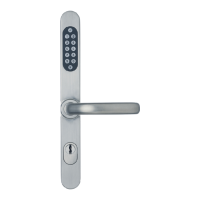
Security lock fitting with integrated access control
Page 52 D0047105
4.4 Battery state display
The security fitting is very energy-saving. Depending on use, the capacity of a set of batteries is sufficient to
guarantee operation of the fitting for several years. With normal usage (about 50 operations a day), a set of
batteries will supply the system with the necessary current for up to 2 ½ years, with lower usage, correspondingly
longer.
The state of the batteries is displayed on each operation.
4.4.1 Batteries in a good state of charge
Procedure LEDs on external door handle light up LED on inner door handle lights up
Unlocking once (green–long) Once (green-short)
Locking 3 times (red, red, red-long) 3 times (red, red, red)
Permanent unlocking
in turn
(green, red, green)
once (green-long)
4.4.2 Batteries in a weak state of charge
Note
You can only use the security fitting a few more times (up to 50 times). Change the batteries without
delay. Do not carry out any more programming.
Procedure LEDs on external door handle light up LED on inner door handle lights up
Unlocking 4 times in turn (green-long, red)
Locking
4 times in turn (red-long, green)
Permanent unlocking
in turn
(green, red, green)
4 times in turn (green-long, red)
4.4.3 Batteries empty
In this case you can only use the security fitting with the key or from the inside.
Procedure LEDs on external door handle light up LED on inner door handle lights up
Attempt at opening,
no unlocking
5 times, (red-short) and
(signal audible)
-
Note
You will find information on procedure for changing batteries in the section “Changing batteries”.
Das Bild kann nicht angezeigt werden. Dieser Computer verfügt möglicherweise über zu wenig
Arbeitsspeicher, um das Bild zu öffnen, oder das Bild ist beschädigt. Starten Sie den Computer
neu, und öffnen Sie dann erneut die Datei. Wenn weiterhin das rote x angezeigt wird, müssen
Sie das Bild möglicherweise löschen und dann erneut einfügen.
Das Bild kann nicht angezeigt werden. Dieser Computer verfügt möglicherweise über zu wenig
Arbeitsspeicher, um das Bild zu öffnen, oder das Bild ist beschädigt. Starten Sie den Computer
neu, und öffnen Sie dann erneut die Datei. Wenn weiterhin das rote x angezeigt wird, müssen
Sie das Bild möglicherweise löschen und dann erneut einfügen.





 To Next Page