Care and maintenance
D0047105 Page 57
Close the inner fitting
Beware
The system will not function if the flat ribbon cable is damaged. It also cannot be excluded that this could
cause damage to the system or that the batteries could be prematurely drained.
When putting the housing back on do not trap the ribbon cable. Place the ribbon cable correctly.
If the ribbon cable is trapped, dismantle the decorative housing and check the ribbon cable for damage.
Do not put the system into operation if the ribbon cable is damaged.
Note
Take care that you do not scratch the door handle when you remove and put back the decorative
housing. Possibly use a cable protective tube when dismounting and reassembling the decorative
housing.
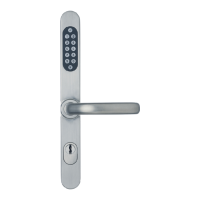
Guide the decorative housing over the door handle and the inner fitting.
Secure the decorative housing with the 2 screws.
Changing the batteries is now complete and the security fitting is ready for operation again.
5.3 Guidelines for disposal
Batteries should be disposed of either at commercial battery suppliers or at official collection
centres that have appropriate containers.
Das Bild kann nicht angezeigt werden. Dieser Computer verfügt möglicherweise über zu wenig
Arbeitsspeicher, um das Bild zu öffnen, oder das Bild ist beschädigt. Starten Sie den Computer
neu, und öffnen Sie dann erneut die Datei. Wenn weiterhin das rote x angezeigt wird, müssen
Sie das Bild möglicherweise löschen und dann erneut einfügen.
Das Bild kann nicht angezeigt werden. Dieser Computer verfügt möglicherweise über zu wenig
Arbeitsspeicher, um das Bild zu öffnen, oder das Bild ist beschädigt. Starten Sie den Computer
neu, und öffnen Sie dann erneut die Datei. Wenn weiterhin das rote x angezeigt wird, müssen
Sie das Bild möglicherweise löschen und dann erneut einfügen.





 To Next Page