(2)
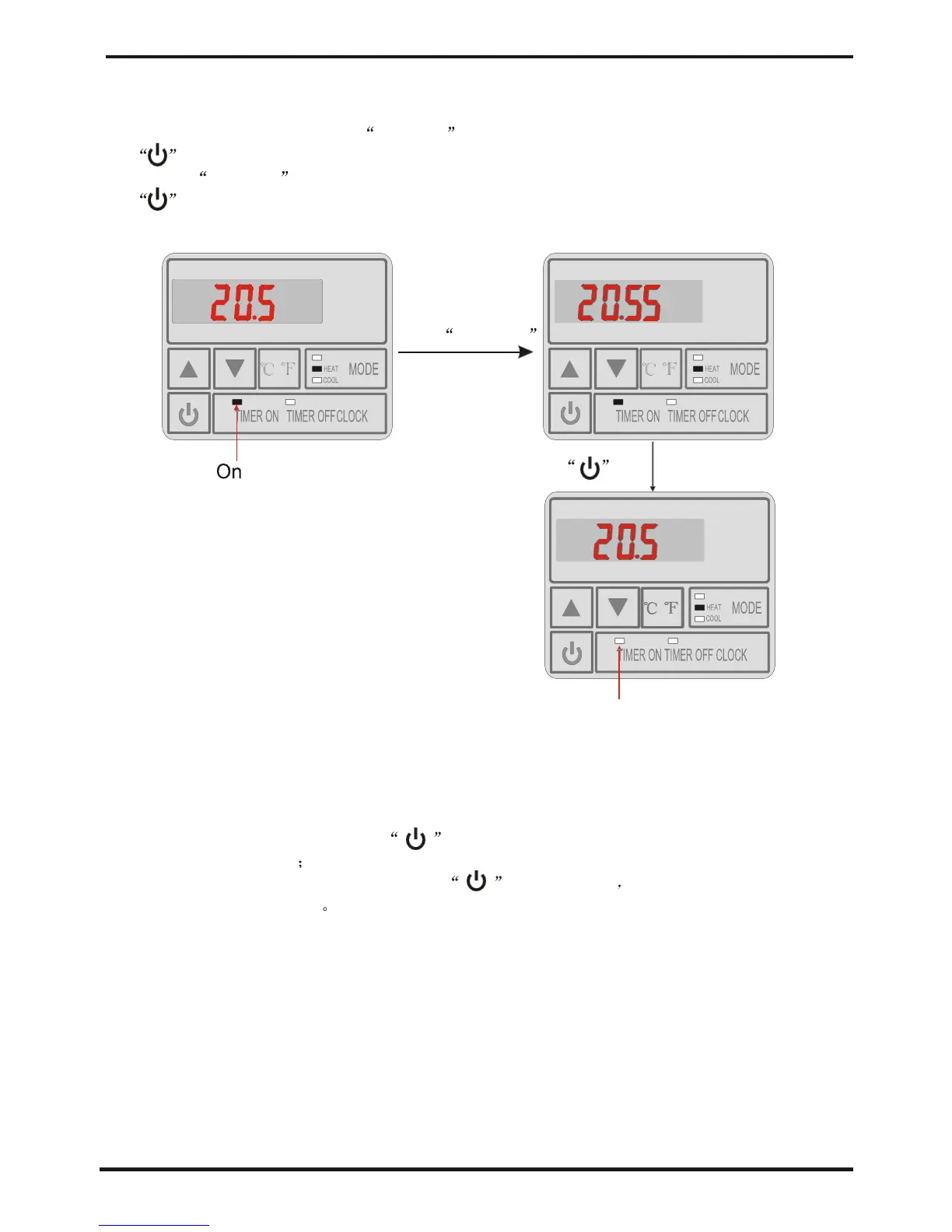
The setting of cancelling the timer
If there is no need to set timer on or timer off, the timer setting can be cancelled.
At unit on or off state, press TIME On to enter timer-on setting interface, then press
to cancel the timer-on, at this timer, the timer-on light turn off.
(press TIME Off to enter timer-off setting interface, then press
to cancel the timer-off, at this timer, the timer-off light turn off.
Off
4.2.7
Keyboard lock
To avoid mis-operations, please lock the controller after parameter setting.
At the main interface, pressing for 5 seconds,when hearing one sound ,
the keyboard is locked.
When the keyboard is locked, pressing for 5 seconds when hearing one sound,
the keyboard lock is open.
NOTES: When the unit is in alarming state, the key lock can be removed automaticly.






 To Next Page