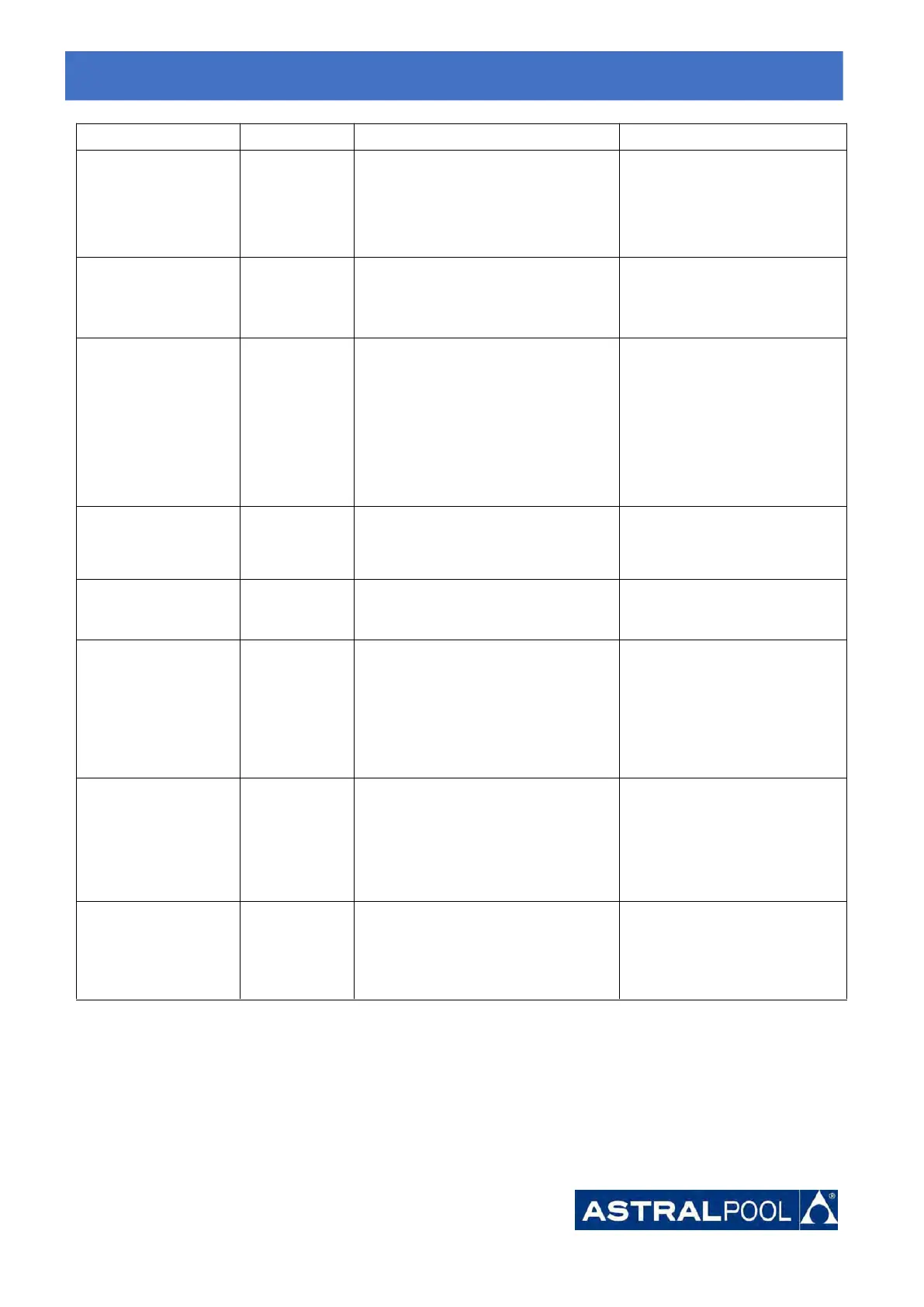
Software control
exception
1.Compressor runs out of step
2. Wrong program
3. Impurity inside compressor causes
the unstable rotate speed
1. Check the main board or
change a new one
2. Enter correct program
Current detection
circuit failure
1. Voltage signal abnormal
2. Driver board is damaged
1. Check the main board or
change a new one
2. Change a new driver board
1. Main board is damaged
2. Compressor wiring error or poor
contact or unconnected
3. Liquid accumulation inside
4. Wrong phase connection for
compressor
1. Check the main board or
change a new one
2. Check the compressor wiring
according to the circuit diagram
Check the compressor or change
a new one
Ambient Temperature
device failure on Driver
board
Ambient Temperature device failure
Change driver board or main
board
Compressors U, V, W are connected to
one phase or two phases.
Check the actual wiring
according to the circuit diagram
Four-way valve
reversal failure
1. Four-way valve reversal failure
2. Lack of refrigerant (no detect when
T3 or T5 malfunction)
1. Switch to Cooling mode to
check the 4-way valve if it has
been reversed correctly
2. Change a new 4-way valve
3. Fill with gas
EEPROM data read
malfunction
1. Wrong EEPROM data in the program
or failed input of EEPROM data
2. Main board failure
1. Re-enter correct EEPROM
data
2. Change a new main board
The inter-chip
communication failure
on the main control
board
1. Turn off electricity supply and
restart it
2. Change a new main board
8.
8.
8.
Troubleshooting
Troubleshooting
Troubleshooting





 To Next Page