EasyManua.ls Logo

AstroStart DSP625 - User Manual

AstroStart DSP625
18 pages
Print Icon
To Next Page IconTo Next Page
Loading...
GUIDE DE L'UTILISATEUR
OWNER'S GUIDE
Directed s'engage à offrir des produits et services
de qualité de classe mondiale qui raviront les
clients.
Directed is committed to delivering world class
quality products and services that excite and
delight customers.
www.astrostart.com
MODÈLE
MODEL
The company behind the
AstroStart
®
Integrated Digital
Platform is Directed.
Since its inception, Directed has
had one purpose, to provide
consumers with the finest vehicle
security and accessories available.
The recipient of nearly 100 patents
and Innovations Awards in the field
of advanced electronic technology.
Quality Directed products are sold
and serviced throughout North
America and around the world.
Call (800) 274-0200 for more infor-
mation about our products and
ser vic es.
La compagnie derrière la
Plateforme numérique intégrée
d'AstroStart
®
.
Depuis sa créaction, le but
premier de Directed est d'offrir
aux consommateurs les meilleurs
systèmes de sécurité et accessoires
automobiles. Bénéficiaire de
près de 100 brevets et de Prix
d'Innovation dans l'industrie de la
technologie électronique avancée.
Les produits de qualité Directed
sont vendus et entretenus partout
en Amérique du Nord et dans le
monde entier.
Appelez au (800) 274-0200 pour
avoir plus d'information au sujet
de nos produits et ser vic es.
©
2017 Directed. Tous droits réservés. / All rights reserved.
Systèmes de démarrage à distance et de sécurité
Remote Start & Security Systems
tout est à votre portéeMD
nothing comes remotely closeTM
590-10099 (2017-05)
DSP625
DSP615
Question and Answer IconNeed help?

Do you have a question about the AstroStart DSP625 and is the answer not in the manual?

AstroStart DSP625 Specifications

General IconGeneral
BrandAstroStart
ModelDSP625
CategoryRemote Starter
LanguageEnglish

Summary

Product Congratulations

Important Product Information

Safety and Regulatory Information

Highlights the importance of reading safety and regulatory sections before operating the system.

Product Warranty Details

Details warranty information and the need for proof of purchase from an authorized dealer.

Ordering Replacement Remotes

Advises contacting an authorized dealer to order additional remote controls.

Two-Way Communication Features

Getting Started Guide

Manual Usage Conventions

Details style conventions and symbols used in the manual for clarity and understanding.

Product Introduction

Remote Control Features

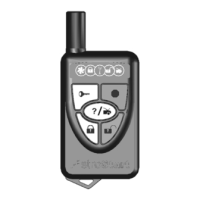
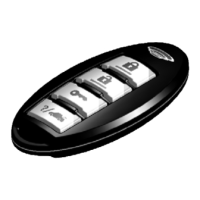
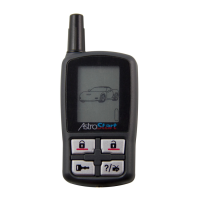
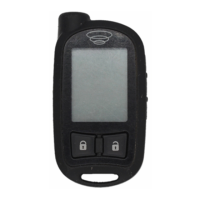
Describes the features and components of the 2625-TX and 2615-TX remote controls, including buttons and LEDs.

Antenna Functionality

Explains the role of the antenna and its components, Status LED and Button, in system communication.

System Operation

Commands and Confirmations

Explains how the remote control sends commands and receives confirmations, noting differences between 1-way and 2-way systems.

Executing Commands

Details how to send basic and advanced commands using the remote control buttons, with an example.

Core System Commands

Arming and Locking

Explains how to lock the vehicle doors, activate alarm features, and confirmation signals.

Panic Mode Activation

Details how to activate and stop the panic output, including system arming and confirmation.

Disarming and Unlocking

Explains how to unlock the vehicle doors, disable alarm features, and confirmation signals.

System Status Check

Describes how to use the 2-way remote to check the system's current status (Lock, Unlock, Engine running).

Trunk Release Operation

Explains how to open the vehicle's trunk using the remote control and confirmation signals.

Remote Start Functionality

Remote Start Alert Conditions

Lists possible causes for remote start faults and their solutions based on parking light flashes.

Valet Mode Operations

Explains how to turn on/off Alarm Valet, Start Valet, and Combo Valet modes.

Manual Valet Mode Control

Emergency System Override

Remote Control Battery Information

Remote Battery Replacement

2-Way Remote Battery Replacement

Step-by-step instructions for replacing the battery in the 2625-TX 2-way remote control.

1-Way Remote Battery Replacement

Step-by-step instructions for replacing the battery in the 2615-TX 1-way remote control.

Battery Disposal Guidelines

Patent Information

FCC and IC Regulations

Remote Control Compliance

Details FCC RF exposure compliance requirements for remote controls, emphasizing hand-held use.

Antenna Compliance

Details FCC RF exposure compliance requirements for the antenna, emphasizing separation distance.

Critical Safety Warnings

Installation Safety Requirements

Stresses that installation must be performed by an authorized dealer due to system complexity.

Remote Start Safety Guidelines

Warns against operating in enclosed areas, recommends carbon monoxide detectors, and keeping controls away from children.

Manual Transmission Safety

Provides critical safety steps for remote starting manual transmission vehicles.

Radio Interference

Product Upgrades and Modifications

Water and Heat Resistance

Limited Lifetime Warranty

Module Warranty Terms

Details the limited lifetime warranty for the main control module, provided it remains installed.

Receiver and Transmitter Warranty

Covers the receiver and transmitters with a two-year warranty from the purchase date.

Accessory Warranty Terms

Provides a two-year warranty for any installed AstroStart accessories from the date of purchase.

Warranty Limitations and Requirements

Outlines warranty start date verification and that installation must be by an authorized technician.

Warranty Voiding Conditions

Items Not Covered by Warranty

Warranty Return Responsibilities

Warranty Disclaimers and Limitations

Related product manuals