ASUS LCD TV Monitor T1 Series 13
2.7 Setting the Television
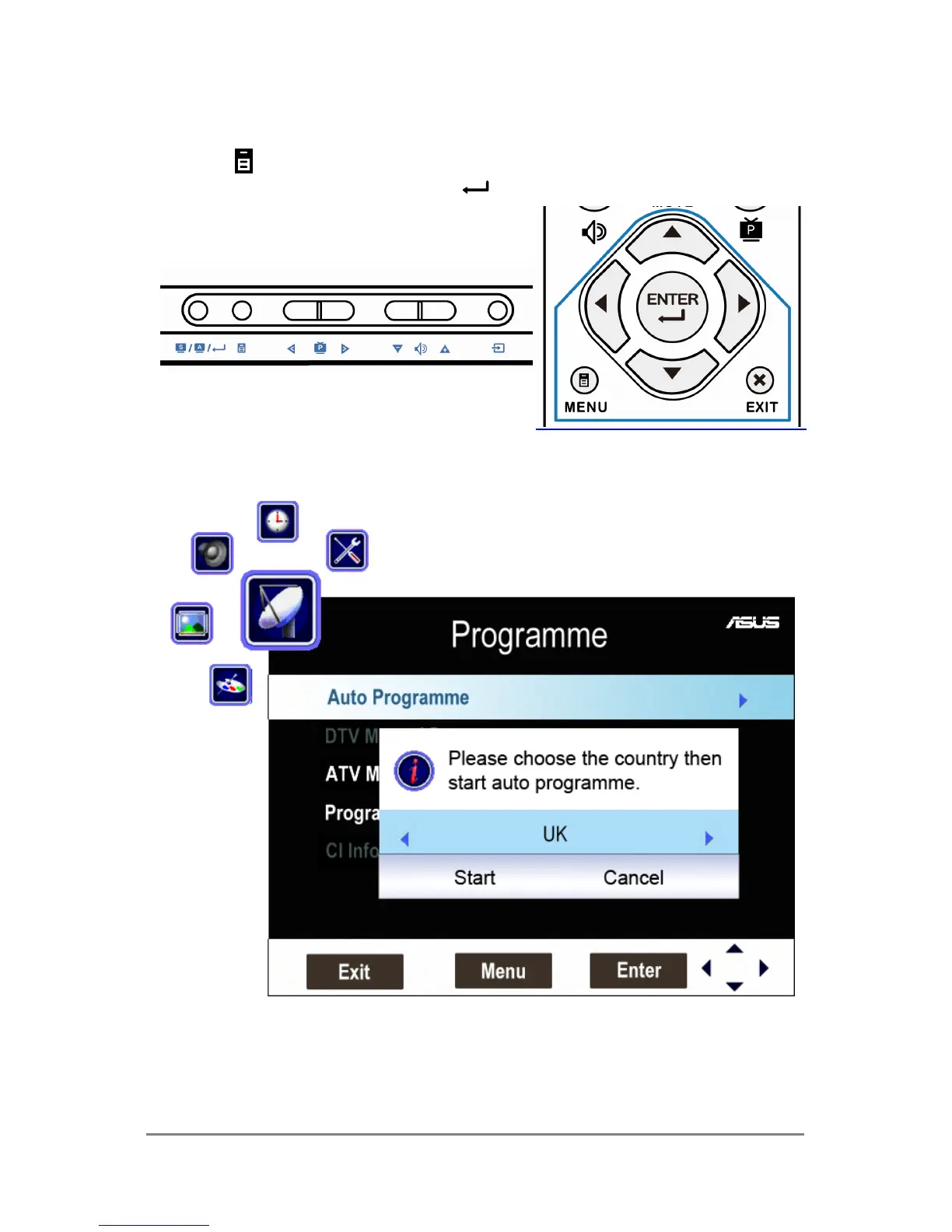
1. Press MENU button either on the key pad of the display or on the remote
controller and useW, S, X, T, and buttons to select “Programme”.
2. Select “Auto Programme” and choose the country of the broadcasting system.
3. Select “Start” to scan all the available channels and store them in the memory.
▪ For further information of setting the TV, please read the chapter 3.1.2.



 To Next Page