1-8
Chapter 1: Product introduction
1.4 System memory
1.4.1 Overview
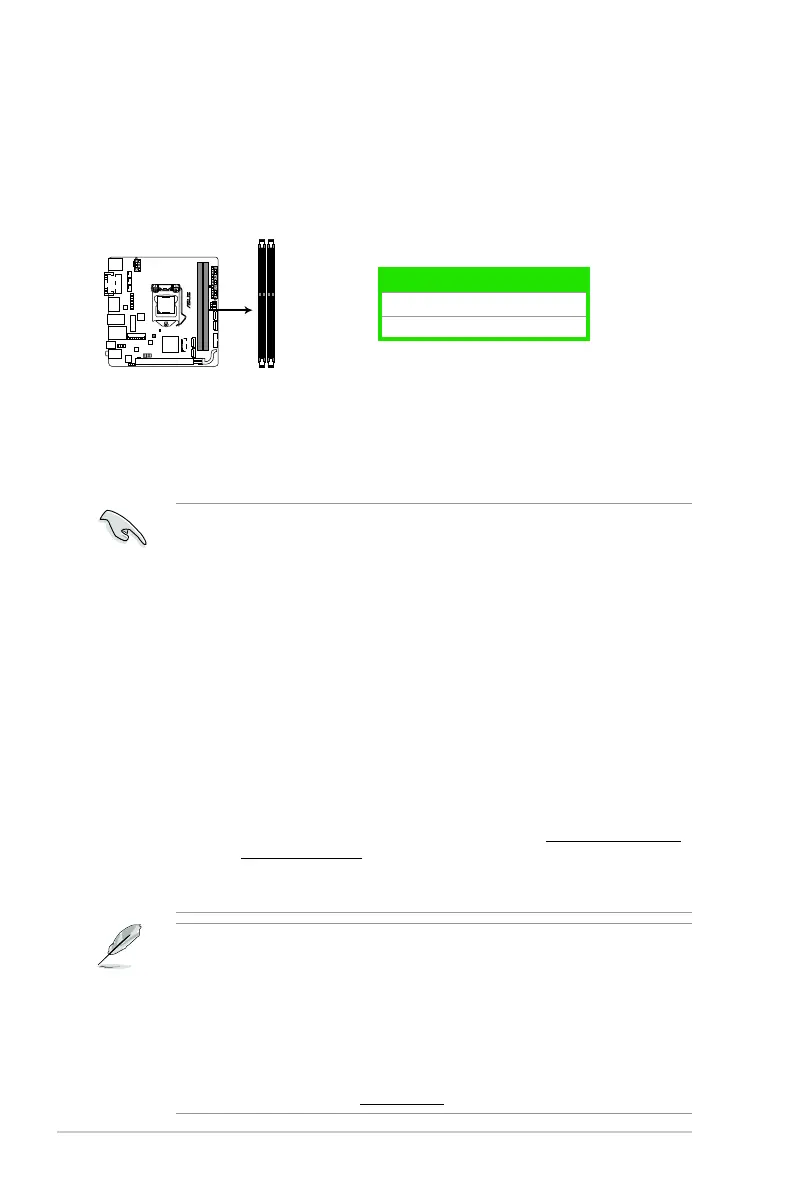
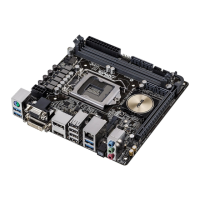
ThismotherboardcomeswithtwoDoubleDataRate3(DDR3)DualInlineMemoryModule
(DIMM)sockets.ThegureillustratesthelocationoftheDDR3DIMMsockets:
Channel
Sockets
ChannelA DIMM_A1
ChannelB DIMM_B1
1.4.2 Memory configurations
Youmayinstall1GB,2GB,4GB,and8GBunbufferednon-ECCDDR3DIMMsintotheDIMM
sockets.
YoumayinstallvaryingmemorysizesinChannelAandChannelB.Thesystem
mapsthetotalsizeofthelower-sizedchannelforthedual-channelconguration.Any
excessmemoryfromthehigher-sizedchannelisthenmappedforsingle-channel
operation.
AccordingtoIntelCPUspec,DIMMvoltagebelow1.65Visrecommendedtoprotect
theCPU.
AlwaysinstallDIMMswiththesameCASlatency.Foroptimalcompatibility,we
recommendthatyouinstallmemorymodulesofthesameversionordatecode(D/C)
fromthesamevendor.Checkwiththeretailertogetthecorrectmemorymodules.
Duetothememoryaddresslimitationon32-bitWindows
®
OS,whenyouinstall4GB
ormorememoryonthemotherboard,theactualusablememoryfortheOScanbe
about3GBorless.Foreffectiveuseofmemory,werecommendthatyoudoanyofthe
following:
- Useamaximumof3GBsystemmemoryifyouareusinga32-bitWindows
®
OS.
- Installa64-bitWindows
®
OSifyouwanttoinstall4GBormoreonthe
motherboard.
- Formoredetails,refertotheMicrosoft
®
support site at http://support.microsoft.
com/kb/929605/en-us.
ThismotherboarddoesnotsupportDIMMsmadeupof512megabits(Mb)chipsor
less.
ThedefaultmemoryoperationfrequencyisdependentonitsSerialPresenceDetect
(SPD),whichisthestandardwayofaccessinginformationfromamemorymodule.
Underthedefaultstate,somememorymodulesforoverclockingmayoperateata
lowerfrequencythanthevendor-markedvalue.Tooperateatthevendor-marked
oratahigherfrequency,refertosection2.5 Ai Tweaker menu for manual memory
frequencyadjustment.
Forsystemstability,useamoreefcientmemorycoolingsystemtosupportafull
memoryloadoroverclockingcondition.
VisittheASUSwebsiteat:www.asus.comforthelatestQVL.
H97I-PLUS
H97I-PLUS 240-pin DDR3 DIMM sockets
DIMM_A1
DIMM_B1


 To Next Page