BIOS information
2
2.1 Managing and updating your BIOS
SaveacopyoftheoriginalmotherboardBIOSletoaUSBashdiskincaseyouneed
torestoretheBIOSinthefuture.CopytheoriginalmotherboardBIOSusingtheASUS
Updateutility.
2.1.1 EZ Update
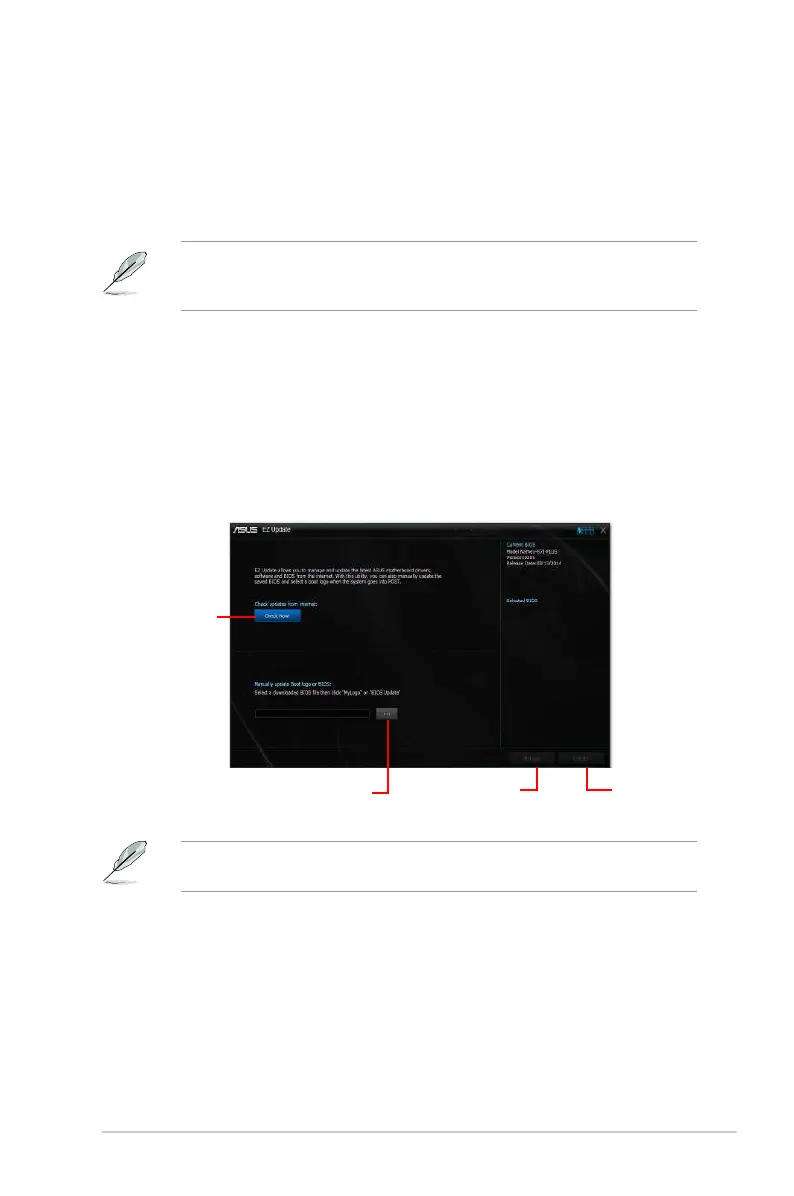
EZUpdateisautilitythatallowsyoutoautomaticallyupdateyourmotherboardssoftwares,
driversandtheBIOSversioneasily.Withthisutlity,youcanalsomanuallyupdatethesaved
BIOSandselectabootlogowhenthesystemgoesintoPOST.
TolaunchEZUpdate,clickEZ Update ontheAISuite3mainmenubar.
Click to
automatically
update your
motherboard’s
driver, software
and firmware
Click to find and
select the BIOS
from file
Click to select
a boot logo
Click to
update the
BIOS
EZUpdaterequiresanInternetconnectioneitherthroughanetworkoranISP(Internet
ServiceProvider).
ASUS H97I-PLUS 2-1



 To Next Page