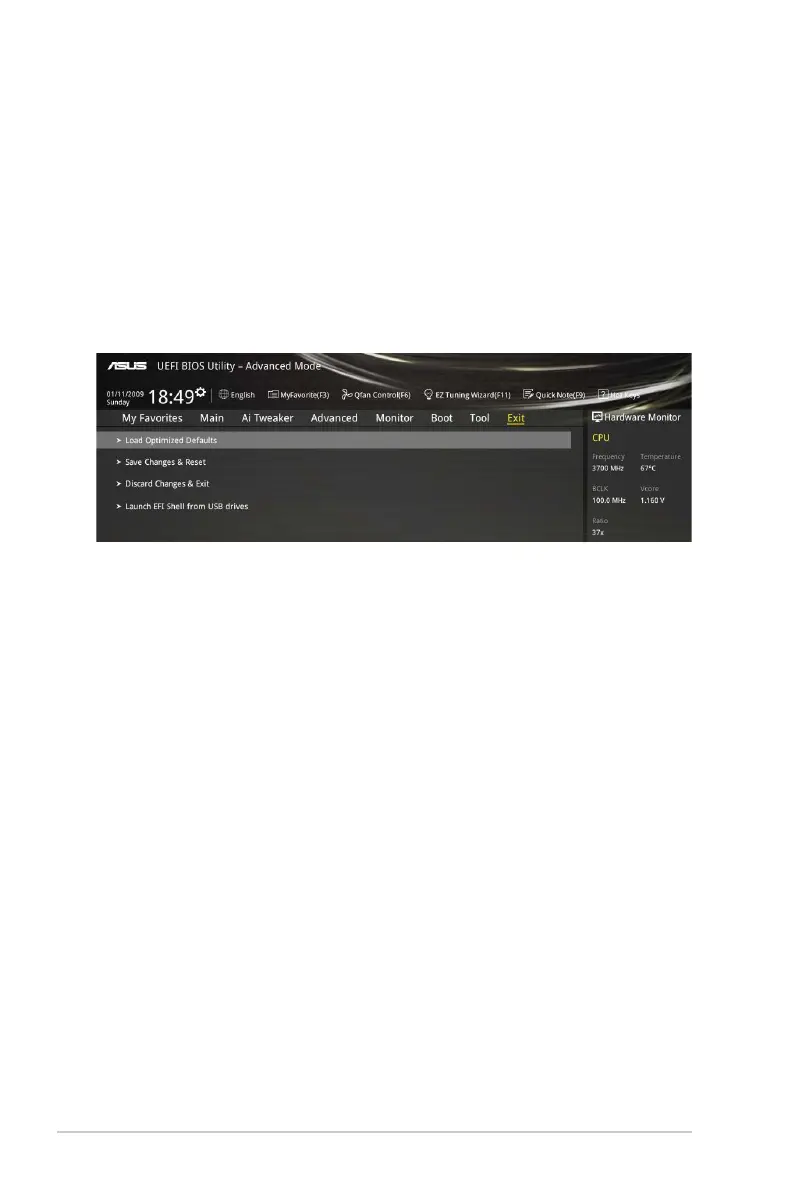
2.10 Exit menu
TheExitmenuitemsallowyoutoloadtheoptimaldefaultvaluesfortheBIOSitems,and
saveordiscardyourchangestotheBIOSitems.
Load Optimized Defaults
ThisoptionallowsyoutoloadthedefaultvaluesforeachoftheparametersontheSetup
menus.Whenyouselectthisoptionorifyoupress<F5>,aconrmationwindowappears.
SelectOKtoloadthedefaultvalues.
Save Changes & Reset
Onceyouarenishedmakingyourselections,choosethisoptionfromtheExitmenuto
ensurethevaluesyouselectedaresaved.Whenyouselectthisoptionorifyoupress<F10>,
aconrmationwindowappears.SelectOKtosavechangesandexit.
Discard Changes & Exit
ThisoptionallowsyoutoexittheSetupprogramwithoutsavingyourchanges.Whenyou
selectthisoptionorifyoupress<Esc>,aconrmationwindowappears.SelectOKtodiscard
changesandexit.
Launch EFI Shell from USB drives
ThisoptionallowsyoutoattempttolaunchtheEFIShellapplication(shellx64.e)fromoneof
theavailableUSBdevices.
2.9.4 ASUS SPD Information
DIMM Slot number [DIMM_A1]
DisplaystheSerialPresenceDetect(SPD)informationoftheDIMMmoduleinstalledonthe
selectedslot.Congurationoptions:[DIMM_A1][DIMM_B1]
2-48
Chapter 2: Getting started



 To Next Page