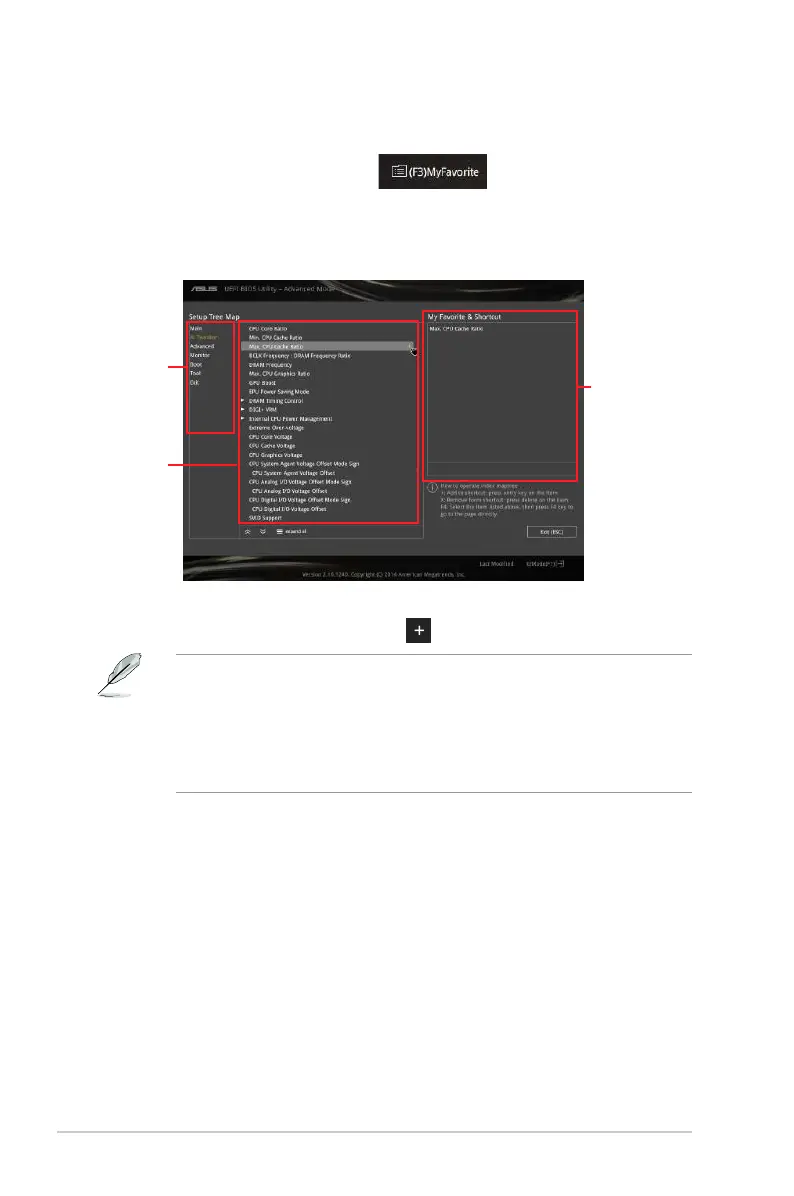
Adding items to My Favorites
ToaddBIOSitems:
1. Press<F3>onyourkeyboardorclick
fromtheBIOSscreentoopen
SetupTreeMapscreen.
2. OntheSetupTreeMapscreen,selecttheBIOSitemsthatyouwanttosavein
MyFavoritesscreen.
3. Selectanitemfrommainmenupanel,thenclickthesubmenuthatyouwanttosaveas
favoritefromthesubmenupanelandclick
.
YoucannotaddthefollowingitemstoMyFavoriteitems:
Itemswithsubmenuoptions
User-manageditemssuchaslanguageandbootorder
CongurationitemssuchasMemorySPDInformation,systemtimeanddate.
4. ClickExit (ESC)orpress<esc>keytocloseSetupTreeMapscreen.
5. GotoMyFavoritesmenutoviewthesavedBIOSitems.
Main menu
panel
Submenu
panel
Selected
shortcut items
2-16 Chapter 2: Getting started



 To Next Page