Chapter 1: Get your Zen ready!
16
Removing a micro SIM card (on selected models)
CAUTION! Be extra careful when handling a micro SIM card. ASUS is not responsible for any data loss or
damage incurred to your
micro SIM
card.
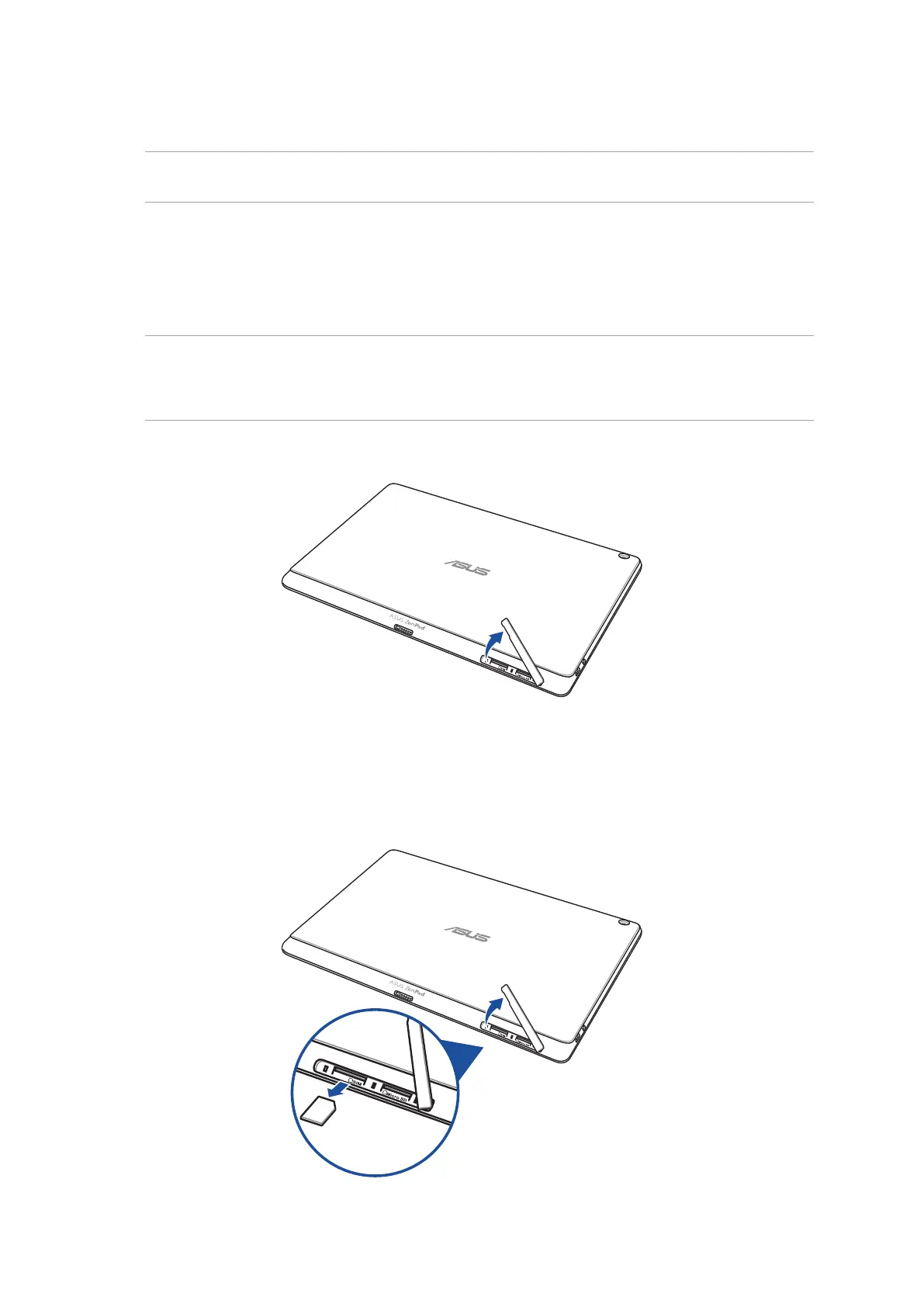
2. Press the micro SIM card to eject, then pull it out.
To remove a micro SIM card:
1. Orient your device as shown, and open the micro SIM/microSD card compartment.
CAUTION!
• Becarefulnottodamagetheslotcoverorinjureyourngernailswhenyouremovethecover.
• Donotforciblyremove,shear,ordistortthememorycardslotcover.



 To Next Page