Chapter 1: Get your Zen ready!
26
Pairing your ASUS Tablet with ASUS Mobile Dock
You may use your ASUS Mobile Dock to wirelessly connect with your ASUS ZenPad 10 via Bluetooth
pairing. Refer to the following steps to learn how to establish this connection.
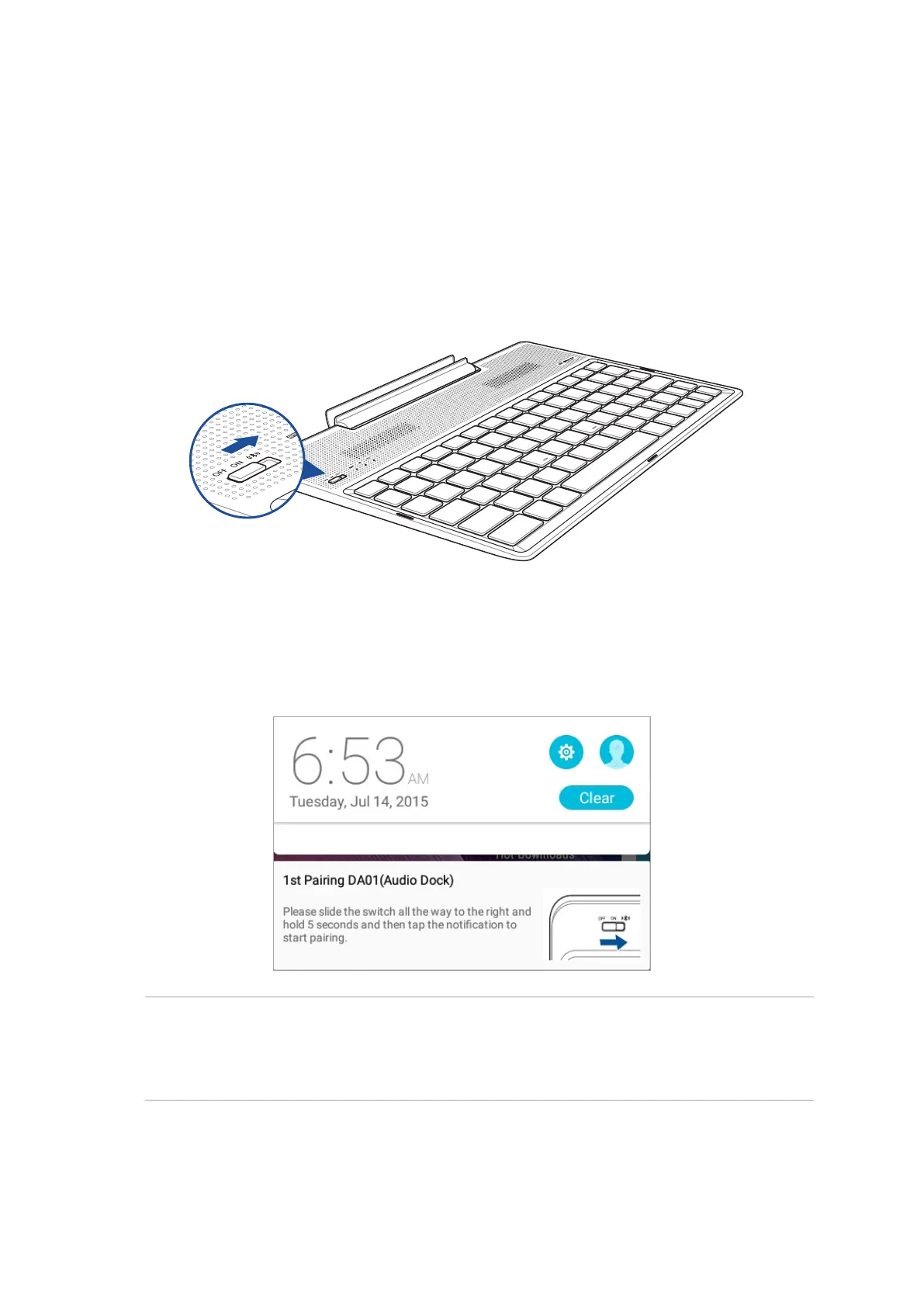
2. Tap the notication to start pairing.
1. Turn on your ASUS Mobile Dock and its Bluetooth function by pressing the switch all the way
to the right and hold for ve (5) seconds.
NOTE:
• Oncepaired,thereisnoneedtopairyourASUSZenPad10withASUSMobileDockagain.Poweron
your ASUS Mobile Dock and the Bluetooth connection is established automatically.
• YoumayalsoestablishtheBluetoothconnectionbyfollowingtheinstructiononnextpage.



 To Next Page