Chapter 1: Get your Zen ready!
23
Using your ASUS Mobile Dock
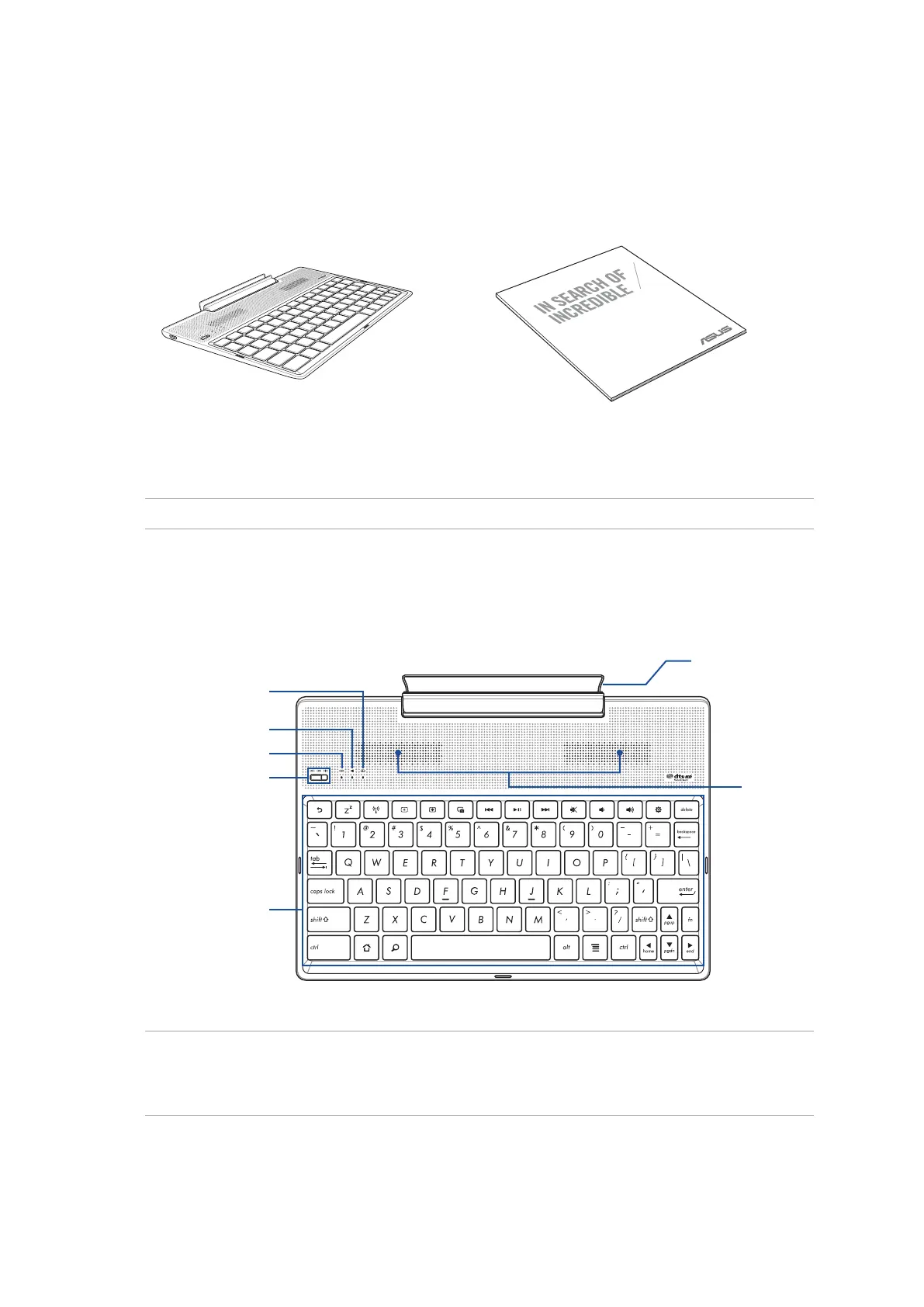
Parts and features
NOTE:
• Thekeyboardlayoutdiersbymodelorregion.
• Pair up with ZenPad 10 to experience the best audio quality available from DTS HD Premium Sound.
Keyboard
Power switch/
Bluetooth pairing switch
Audio speakers
Keyboard Bluetooth indicator
Hinge
Two-color battery indicator
Audio Bluetooth indicator
Package contents
NOTE: If any of the items is damaged or missing, contact your retailer.
ASUS Mobile Dock
USER GUIDE
ASUS Mobile Dock User Guide



 To Next Page