5-10 Chapter 5: Multiple GPU technology support
Chapter 5
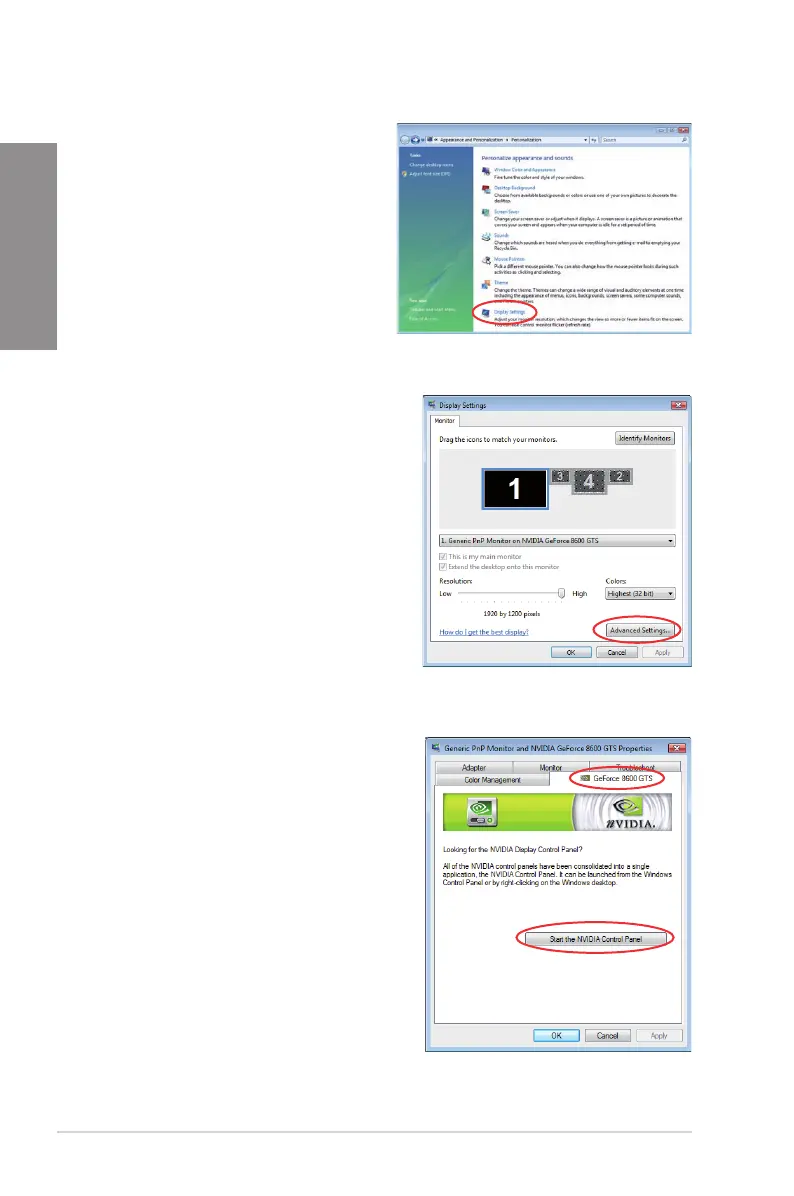
B2. From the Personalization window,
select Display Settings.
B3. From the Display Settings dialog box, click
Advanced Settings.
B4. Select the NVIDIA GeForce tab, and then
click Start the NVIDIA Control Panel.








 To Next Page