ASUS WLAN Adapter 17
Chapter 2 - Installation
Chapter 2
Installation
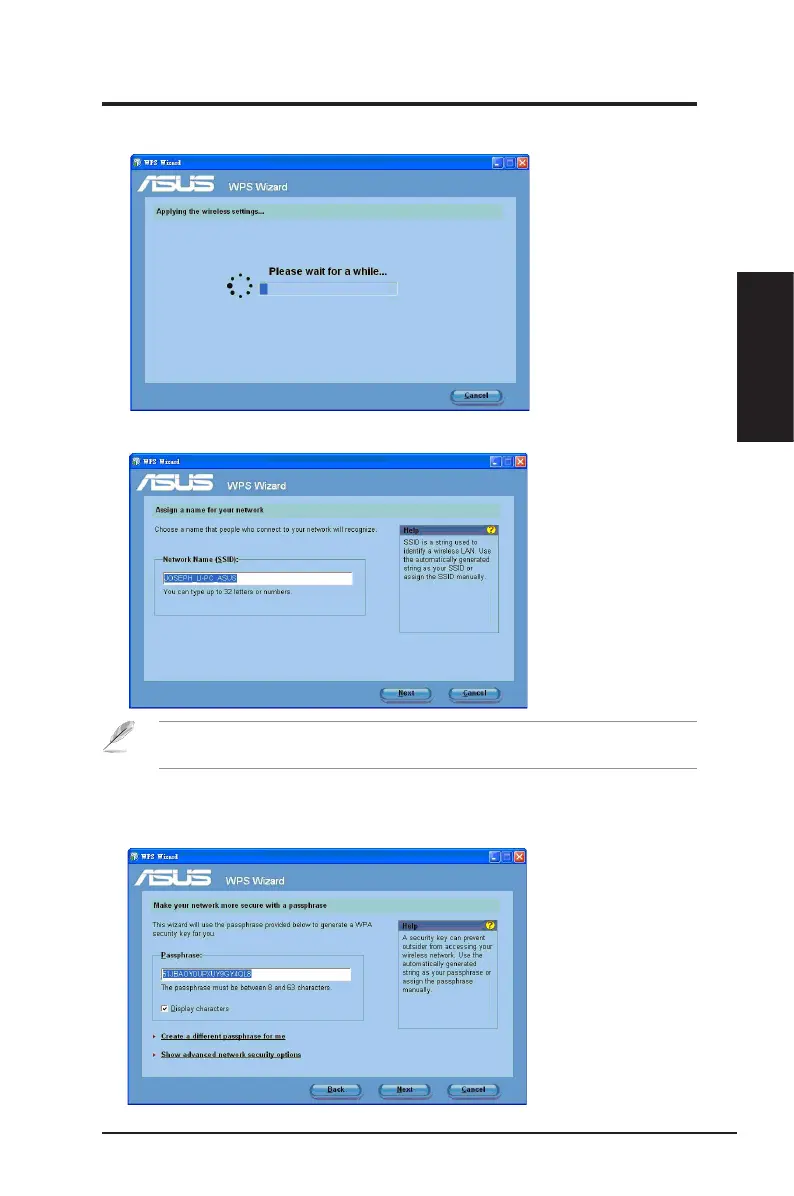
4. Assign a name to your network. When done, click
Next
.
If the router is used for the rst time, the WPS Wizard assigns the SSID (network name)
automatically.
3. Wait until the WPS Wizard nishes applying the wireless settings.
5. Use the auto-generated passphrease as your network’s security key or
manually assign a passphrase containing between 8 and 63 characters. When
done, click Next.



 To Next Page