ASUS RS300-E7/PS4
7-15
7.3 LAN driver installation
This section provides the instructions on how to install the Intel
®
Gigabit LAN
controller drivers on the system.
You need to manually install the LAN contrroller driver on a Windows
®
operating
system.
To install the LAN controller drivers:
1. Restart the computer, and then log on with
Administrator
privileges.
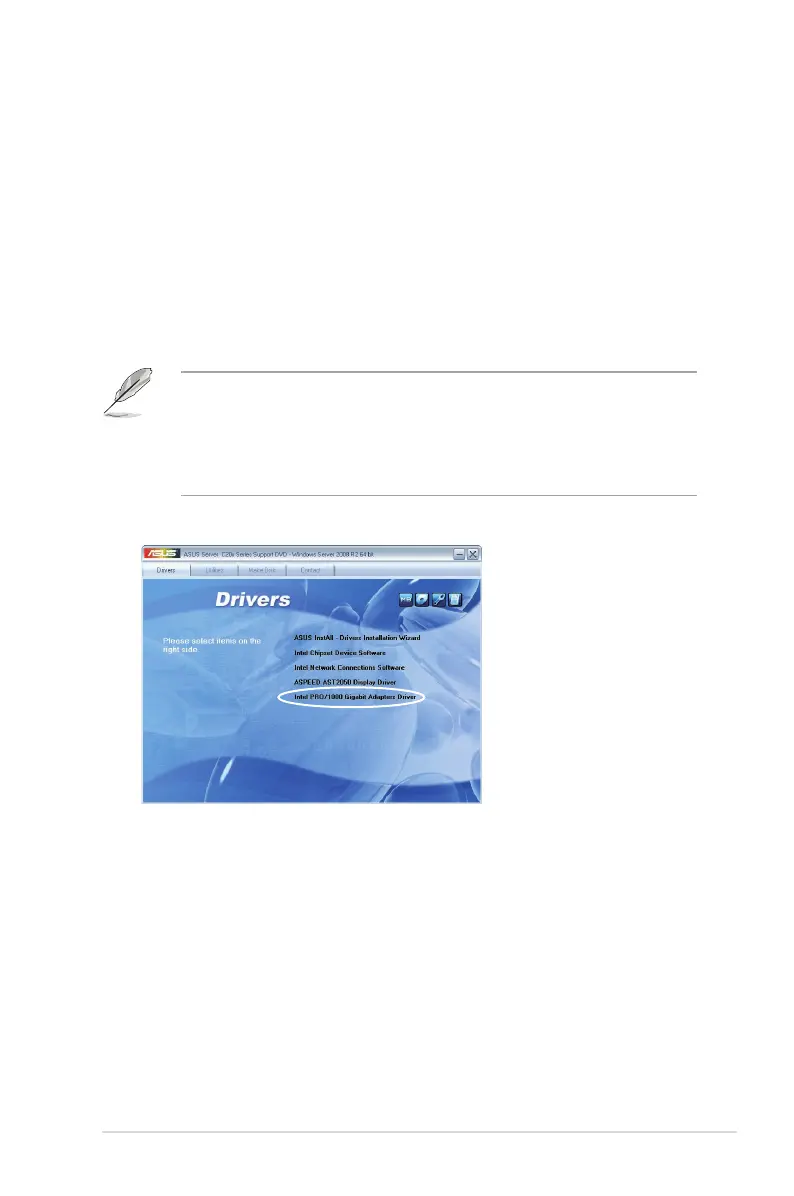
2. Insert the motherboard/system support DVD to the optical drive. The support
DVD automatically displays the
Drivers
menu if Autorun is enabled in your
computer.
• Windows
®
automatically detects the LAN controllers and displays a New
Hardware Found window. Click
Cancel
to close this window.
• If Autorun is NOT enabled in your computer, browse the contents of the
support DVD to locate the le
ASSETUP.EXE
from the
BIN
folder. Double-
click the
ASSETUP.EXE
to run the DVD.
3. Click the
Intel
®
PRO/1000 Gigabit Adapters Driver
to begin installation.














 To Next Page