Chapter 2: Hardware setup2-6
2.2.2 Installing the CPU heatsink and airduct
To install the CPU heatsink
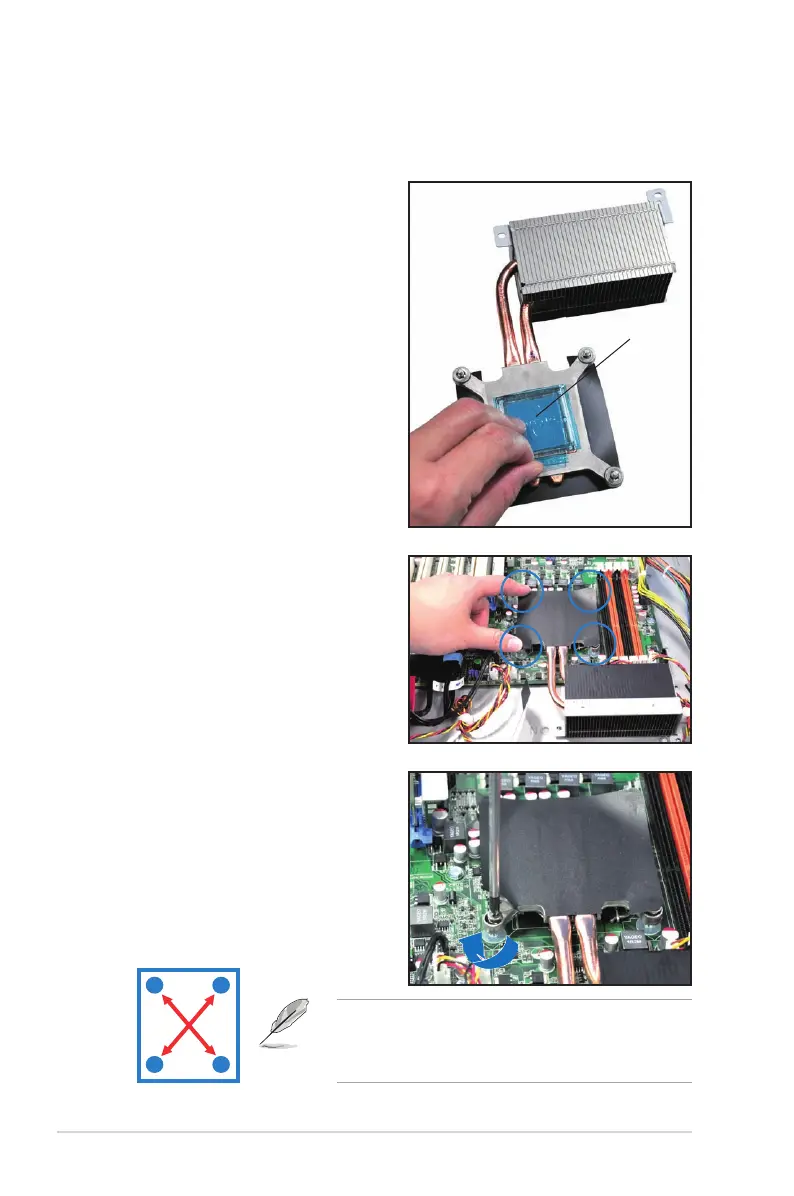
1. Remove the protection sticker on
the back of the CPU heatsink.
Protection sticker
• Tighten the four heatsink screws in a diagonal
sequence.
• Do not remove the mylar on the heatsink.
A
B
B
A
3. Twist each of the four screws with
a Philips (cross) screwdriver just
enough to attach the heatsink to
the motherboard. When the four
screws are attached, tighten them
one by one to completely secure
the heatsink.
2. Place the heatsink on top of the
installed CPU, ensuring that the
four fasteners match the holes on
the motherboard.














 To Next Page