12
NOTES:
• For details on connecting to a wireless network, refer to the
WLAN adapter’s user manual.
• To set up the security settings for your network, refer to the
section Setting up the wireless security settings in this user
manual.
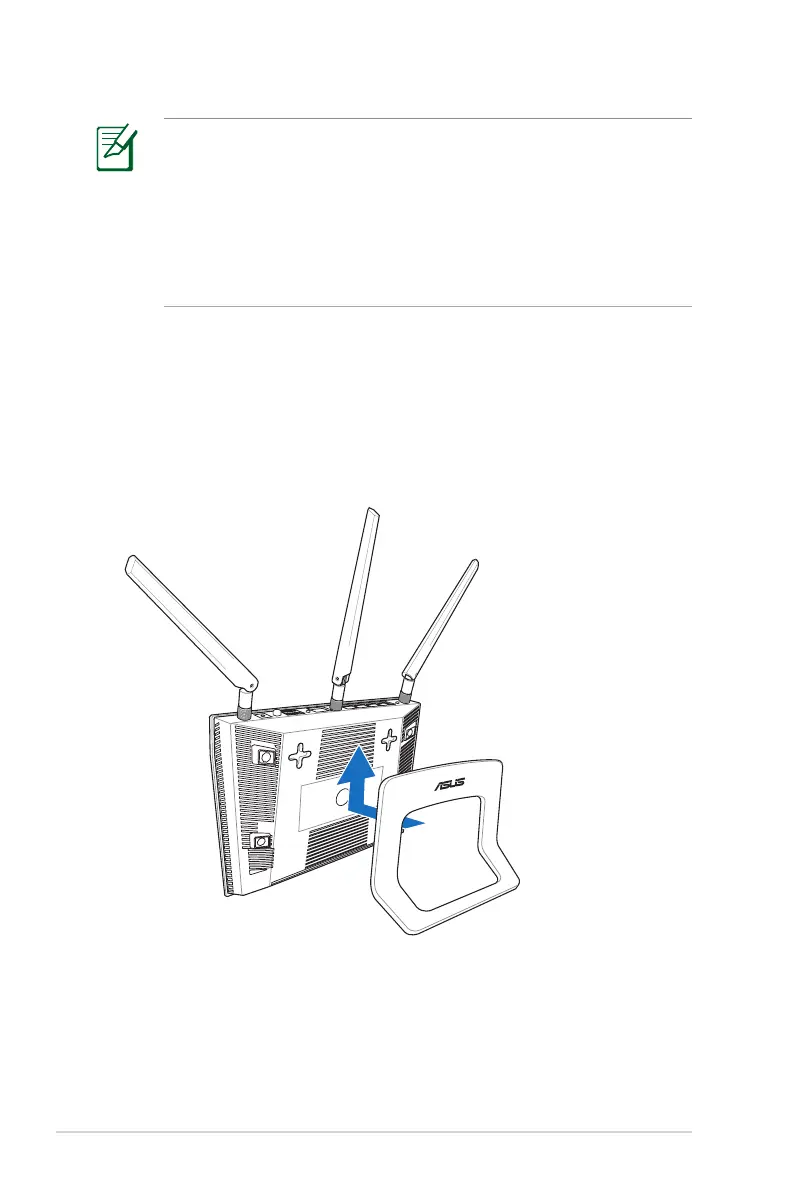
Mounting to the stand
To mount to the stand:
• Align and insert the stand’s mounting hooks to the wireless
router’s mounting holes.



 To Next Page