14
MAC OS
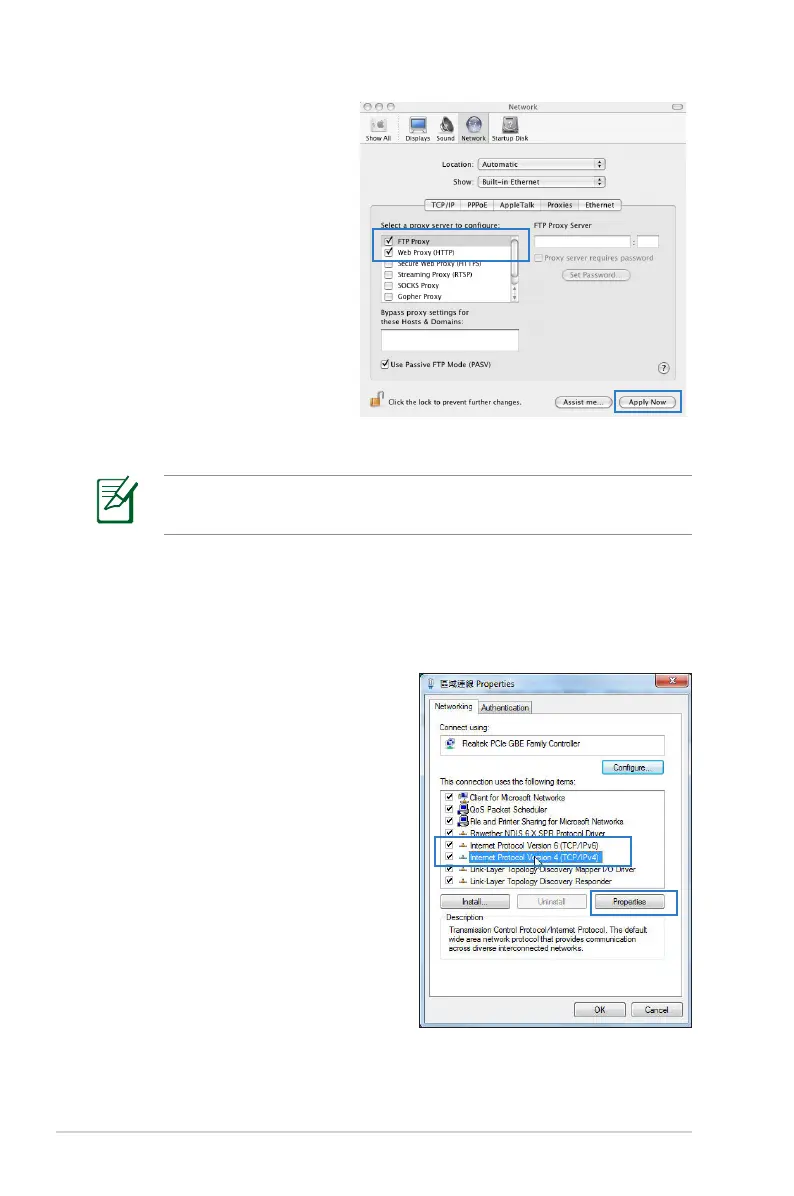
1. From your Safari
browser, click Safari
> Preferences >
Advanced > Change
Settings...
2. From the Network
screen, deselect FTP
Proxy and Web Proxy
(HTTP).
3. Cllick Apply Now when
done.
NOTE: Refer to your browser's help feature for details on
disabling the proxy server.
B. Set the TCP/IP settings to automatically obtain an IP
address.
Windows
®
7
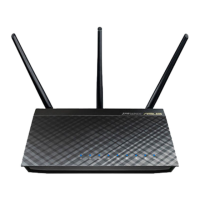
1. Click Start > Control Panel
> Network and Internet
> Network and Sharing
Center > Manage network
connections.
2. Select Internet Protocol
Version 4 (TCP/IPv4) or
Internet Protocol Version
6 (TCP/IPv6), then click
Properties.



 To Next Page