13
Before you proceed
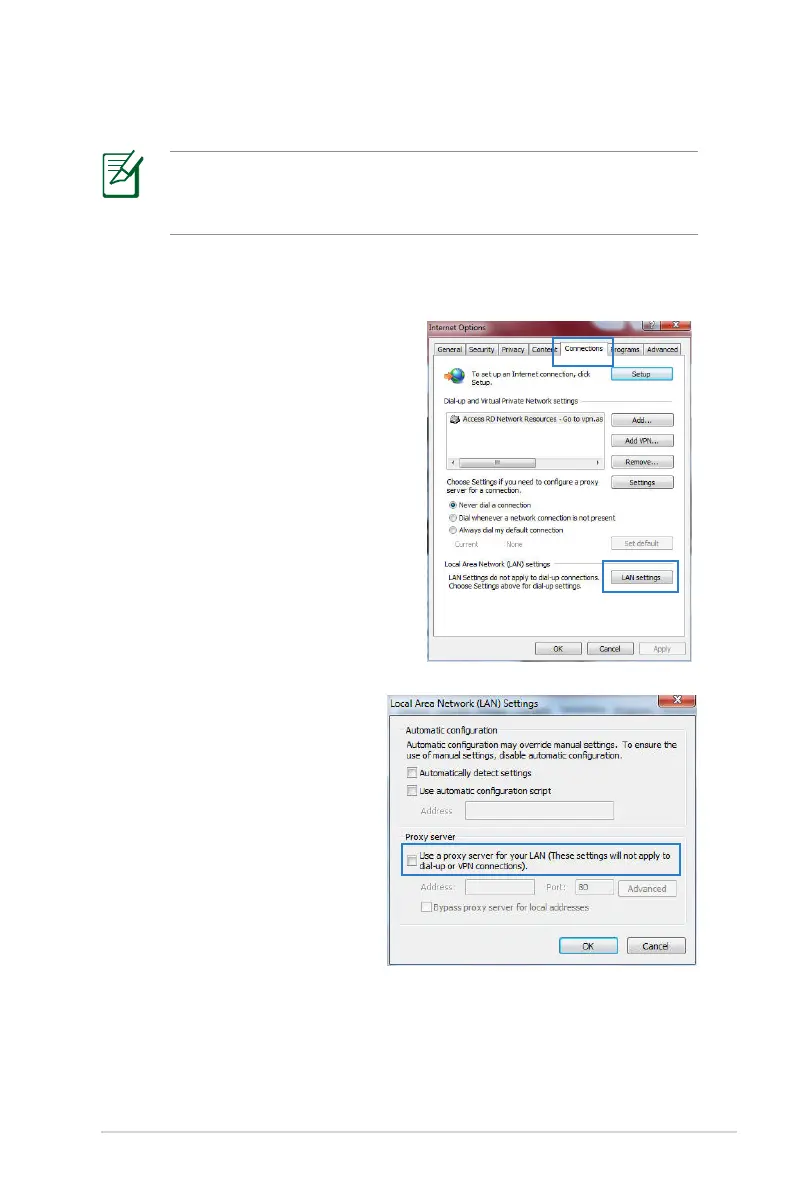
A. Disable the proxy server, if enabled.
Windows
®
7
1. Click Start > Internet Explorer
to launch the browser.
2. Click Tools > Internet options
> Connections tab > LAN
settings.
NOTE: Before configuring your wireless router, do the steps
described in this section for your host computer and network
clients.
3. From the Local Area
Network (LAN) Settings
screen, untick Use a proxy
server for your LAN.
4. Click OK when done.



 To Next Page